- 16 -
Supporting Format
• Video: 3GP, AVI, MKV, MOV, MP4, MPEG, RMVB.
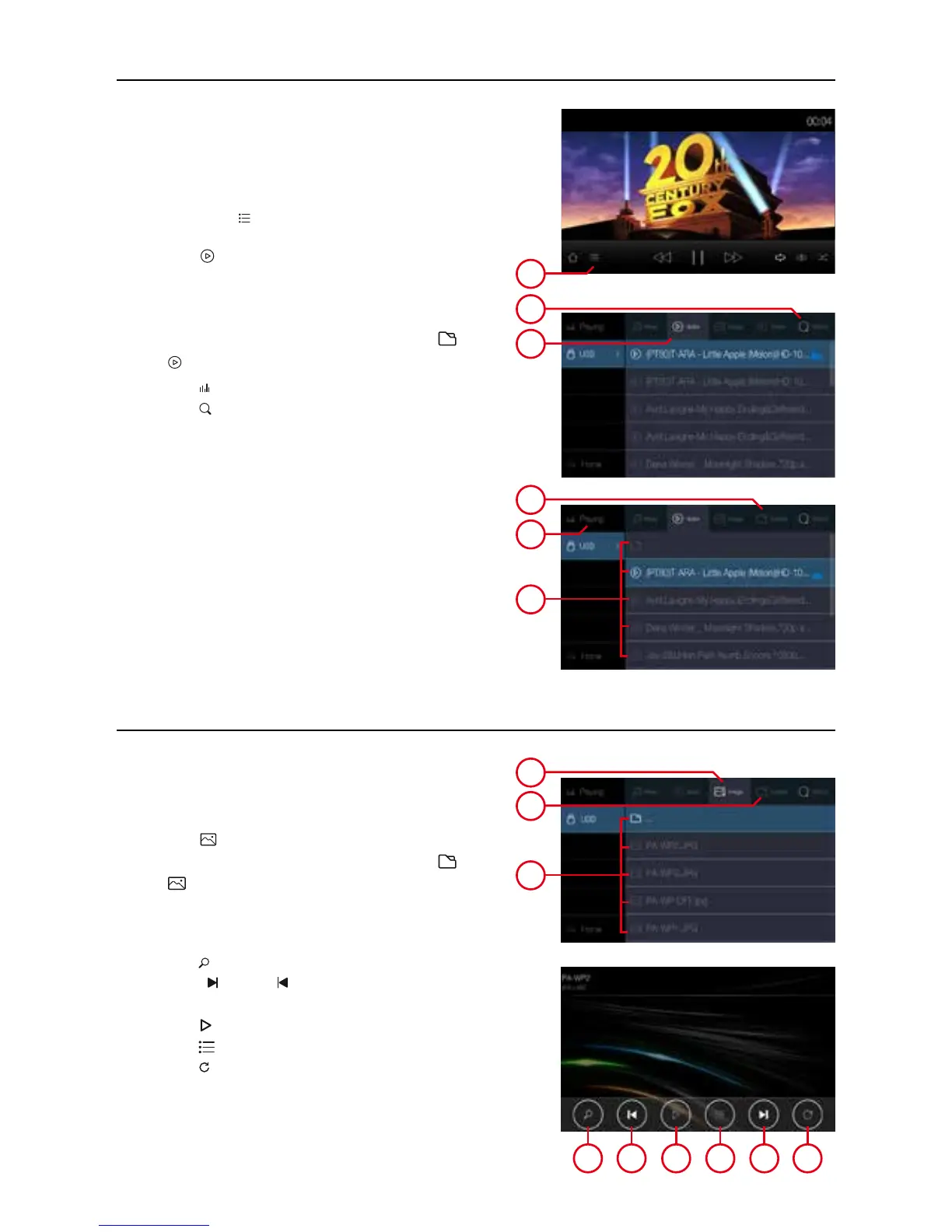
Play video
1. Touch list ( ), to view the available media
player.
2. Select (
Video
) to show the music list.
3. Drag up and down the list, touch the selected
song to play and adjust the play progress in the
progress bar.
4. Touch to change the selection between (
Folder
)
to (
) or viceversa.
3. Drag up and down the list, touch the selected
image to play and adjust the play progress in the
progress bar.
4. Touch (
) to zoom out or zoom in
5. Touch ( ) or ( )to view previous or next
picture.
6. Touch (
) to preview all pictures.
7. Touch (
) to return to the list.
8. Touch ( ) to rotate the image.
USB playback image
4 5 6 7 5 8
1
3
2


 To Next Page