Tutorial 47
6
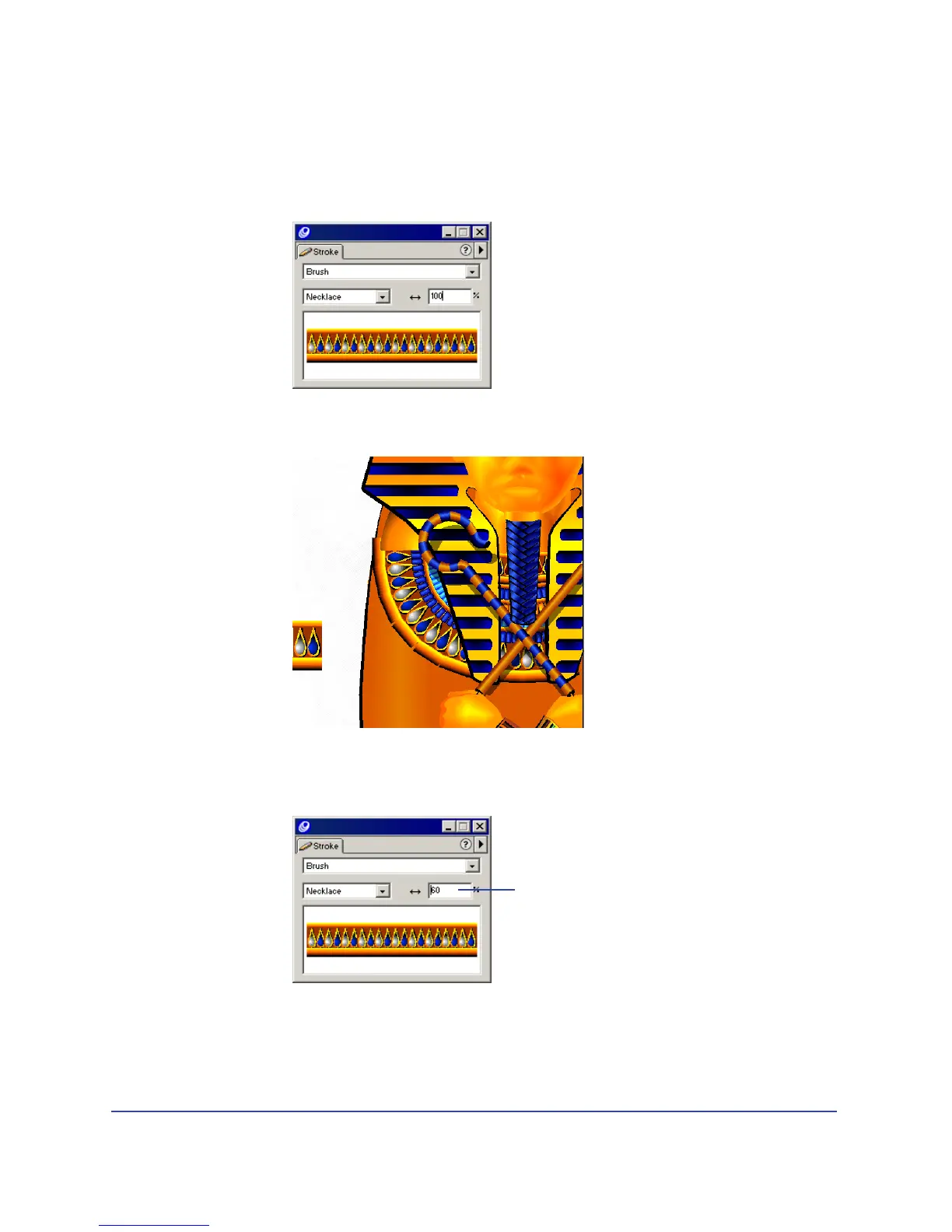
In the Stroke inspector, select Brush from the Stroke Type pop-up menu.
7 In the Brush pop-up menu, select Necklace—the name of the custom brush
you created.
Instances of the bead symbol repeat along the path.
8 In the Width text box in the Stroke panel, type 60 and press Enter (Windows)
or Return (Macintosh).
Note: You can move the points on the path, as you learned earlier, to change the shape
and length of the necklace.
Width text box



 To Next Page