Start up/shutdown
Start up or shutdown player by press and hold "PLAY".
3
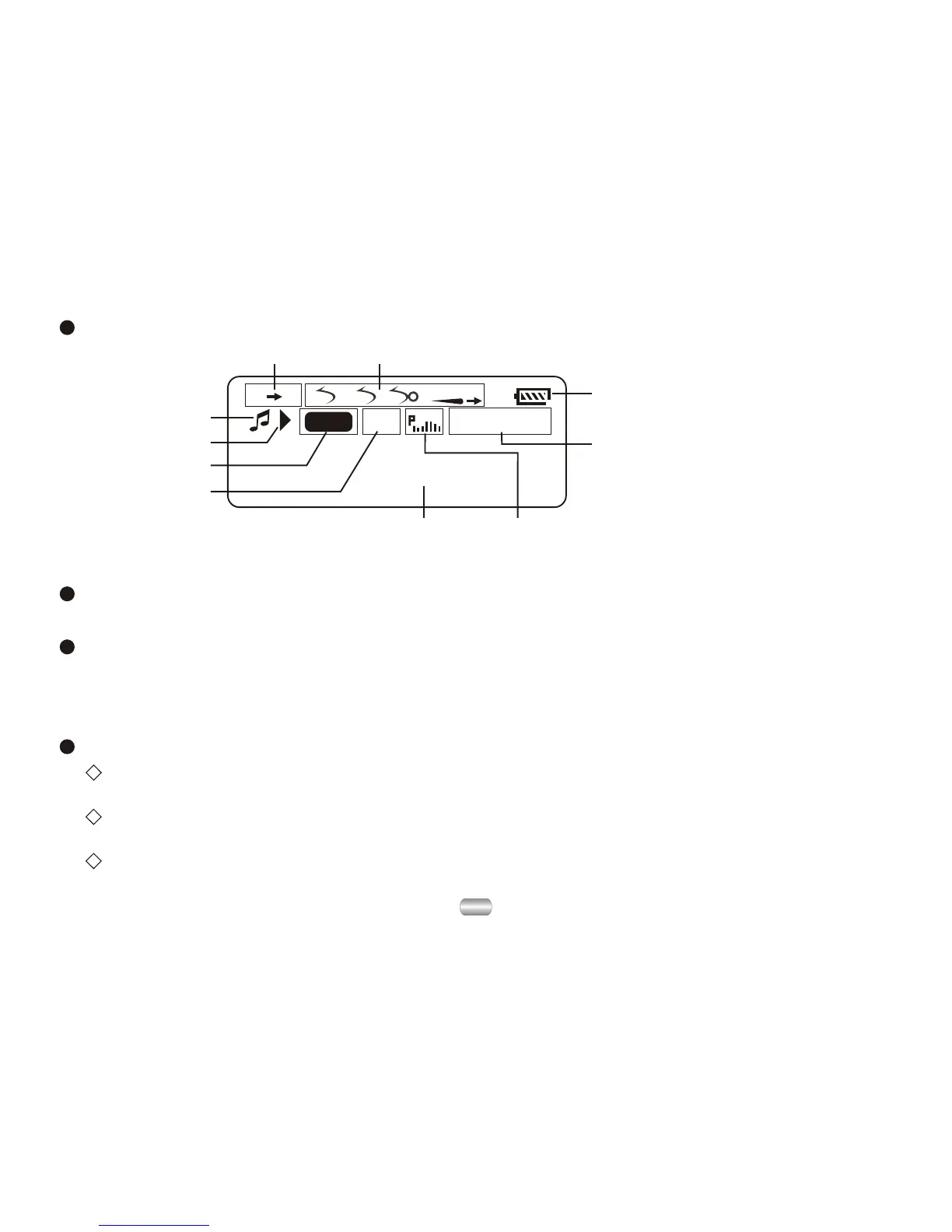
Display screen
A B
MP3
03 04: 13
ALL1
Pre
Sky. MP3
Work mode
Play state
File format
Song number
Singer/Name of song
Sound effect mode/Follow and contrast
Play time
Display electric quantity
Cycle mode
Reread mode
4. Basic functions
Enter a menu
Menus: Main menu (entered by momentarily holding Mode key when not playing),
Play submenu (entered by pressing Mode key while playing), and Stop submenu
(entered by pressing Mode key when not playing).
Browse Tracks
Browse forward by sliding Mode key clockwise and backward by sliding Mode
key anti-clockwise;
Skip track forward or backward while playing song by sliding and holding Mode
key clockwise or anti-clockwise;
Skip to next track or back to previous track while playing song by sliding and
Mode key clockwise or anti-clockwise.



 To Next Page