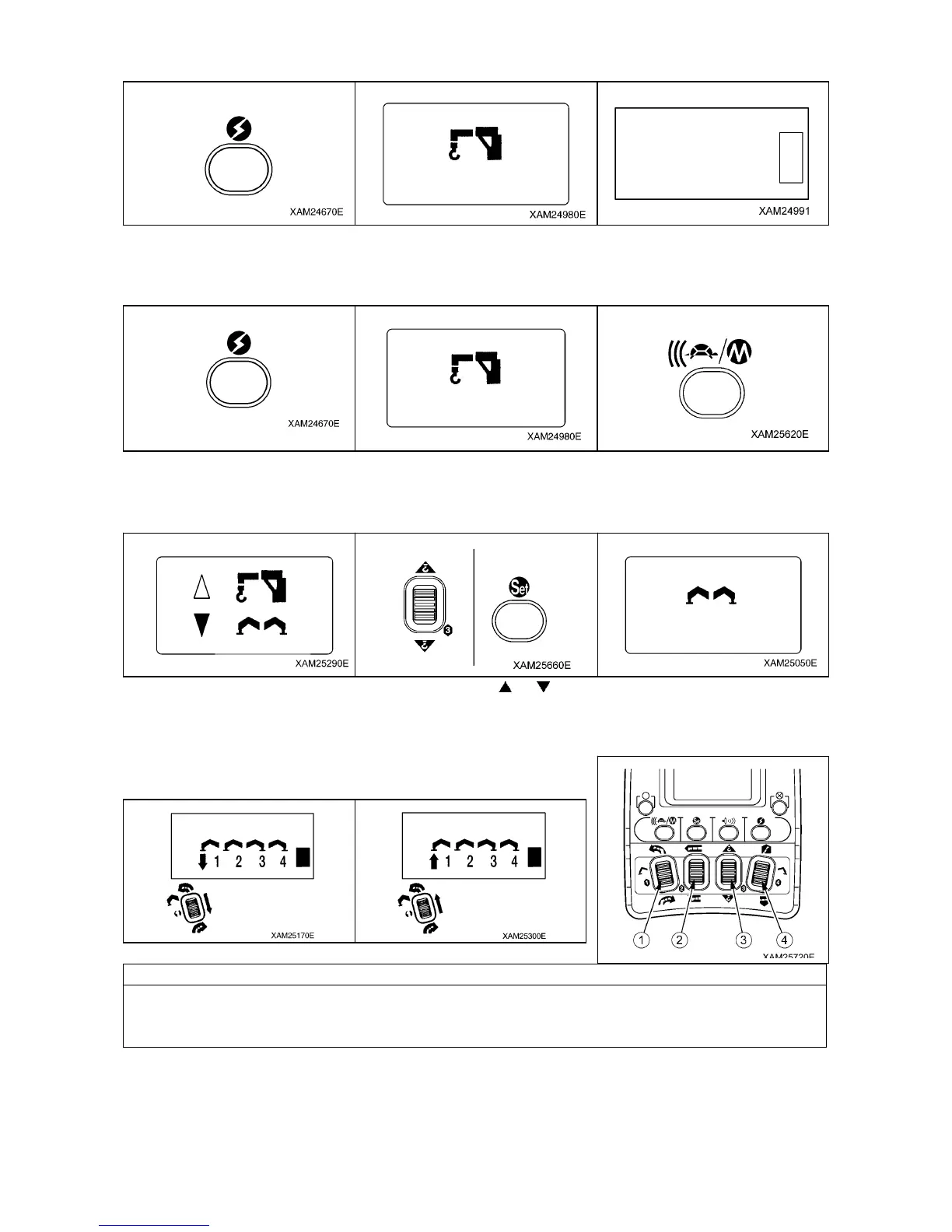
8.1 PROCEDURE IN THE OPERATION MODE
[1] CALL UP CRANE MODE
1. Push the Power button to turn ON the Transmitter.
2. The “Crane mark” is displayed in the LCD screen for about 2 seconds.
3. The crane is ready for operation.
[2] CALL UP OUTRIGGER MODE
1. Push the Power button to turn ON the Transmitter.
2. The “Crane mark” is displayed in the LCD screen for about 2 seconds.
3. While the “Crane mark” is displayed, push the speed button for about 2 seconds. The LCD provides the screen for
selecting “CRANE MODE” or “OUTRIGGER MODE”.
4. Use the Hook raising and lowering Lever to shift the cursor (
or ), and push the Setting button when the cursor
points to the “OUTRIGGER”.
8.2 OPERATION IN OUTRIGGER MODE
The outriggers of the crane are numbered from 1 to 4 and these correspond
to the numbers of each operation lever on the remote control.
NOTES
If you want to START any action, always use the operation lever first and only afterwards pull the
accelerator (slowly).
If you want to END any action, first release the accelerator slowly, and then release the operation lever.
1. Put the outriggers down ONE by ONE (by pushing down the levers) until they all just touch the ground.
2. Then use the outriggers TWO by TWO to stabilize the crane.
3. Check the bubble in the level in order to make sure the crane is in the correct position.
4. Make sure the rubber tracks are about 80mm above the ground.
For stowing the outriggers : push the operation levers up.
-9-



 To Next Page