i
TABLE OF CONTENTS
Introduction....................................................1
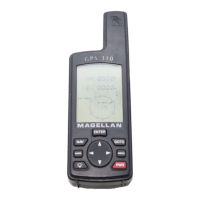
Welcome to the Magellan GPS 300 ..................................... 1
GPS 300 Description........................................................... 1
Magellan GPS 300............................................................... 2
Getting Started ................................................3
Installing the Batteries ......................................................... 3
Getting Signals from Satellites ............................................. 3
Initializing the Receiver - EZStart ........................................ 4
Computing a Position.......................................................... 5
Basic Operation...............................................7
Saving a Position Fix ............................................................ 7
Creating a Landmark ........................................................... 8
Viewing the POSITION Screen ........................................... 9
Viewing the NAVIGATION Screens .................................. 10
Creating a GOTO Route ................................................... 13
Summary ........................................................................... 14
Working with Landmarks..............................15
Viewing a Landmark.......................................................... 15
Editing the Landmark Name ............................................. 16
Deleting a Landmark ......................................................... 16










 To Next Page