960 Overland Court, San Dimas, CA 91773
Table of Contents
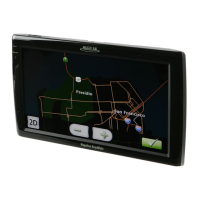
Magellan RoadMate 1700 Receiver ......................................................................................... 1
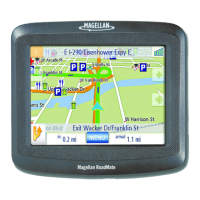
Magellan RoadMate ............................................................................................................................................. 2
Installation Instructions ........................................................................................................... 3
Selecting the Location ......................................................................................................................................... 3
Using the Adhesive Disk ...................................................................................................................................... 3
Securing the Car Cradle to the Windshield or Adhesive Disk ............................................................................... 3
Attaching the Magellan RoadMate receiver to the Car Cradle ............................................................................. 4
Adjusting the Mount for Optimum Viewing .......................................................................................................... 4
Connecting Power ................................................................................................................................................ 4
Routing the Cable ................................................................................................................................................ 4
Checking Connection and Final Adjustments ...................................................................................................... 4
Security ............................................................................................................................................................... 5
Fundamentals .......................................................................................................................... 6
Powering on the Magellan RoadMate receiver ..................................................................................................... 6
Checking Battery Level ........................................................................................................................................ 6
Volume ................................................................................................................................................................ 6
Brightness ........................................................................................................................................................... 7
Main Menu ........................................................................................................................................................... 7
Keypad ................................................................................................................................................................. 8
Selecting QWERTY or ABC Keyboard ..................................................................................................................... 9
Notes on Entering Data ........................................................................................................................................ 9
Smart City Search ................................................................................................................................................ 9
QuickSpell ......................................................................................................................................................... 10
Map Screen .......................................................................................................................... 11
Current Location Screen .................................................................................................................................... 13
Accessing the Current Location Screen ...................................................................................................... 13
Saving Your Current Location to Your Address Book ................................................................................... 13
Maneuver List (Itinerary) ................................................................................................................................... 13
Accessing the Maneuver List ...................................................................................................................... 13
Excluding a Maneuver ................................................................................................................................ 13
Volume .............................................................................................................................................................. 14
Changing the Volume from the Map Screen ............................................................................................... 14
Enter Address ........................................................................................................................ 15
Entering an Address ................................................................................................................................... 15
Entering an Intersection ............................................................................................................................. 16
Entering a City Center ................................................................................................................................ 16
Tips on Entering Addresses Quickly ............................................................................................................ 17
Previous Destinations ........................................................................................................................................ 17
Routing to a Previous Destination (Method 1) ............................................................................................ 17
Routing to a Previous Destination (Method 2) ............................................................................................ 17
Saving a Previous Destination to Your Address Book .................................................................................. 17
Clearing the list of Previous Destinations .................................................................................................. 18









 To Next Page