General Information
Please refer to this handbook for questions
on
using the Magellan
RoadMate receiver. If you are still unable to answer your question,
check our technical support web page at: http://www.magellanGPS.com/
support!.
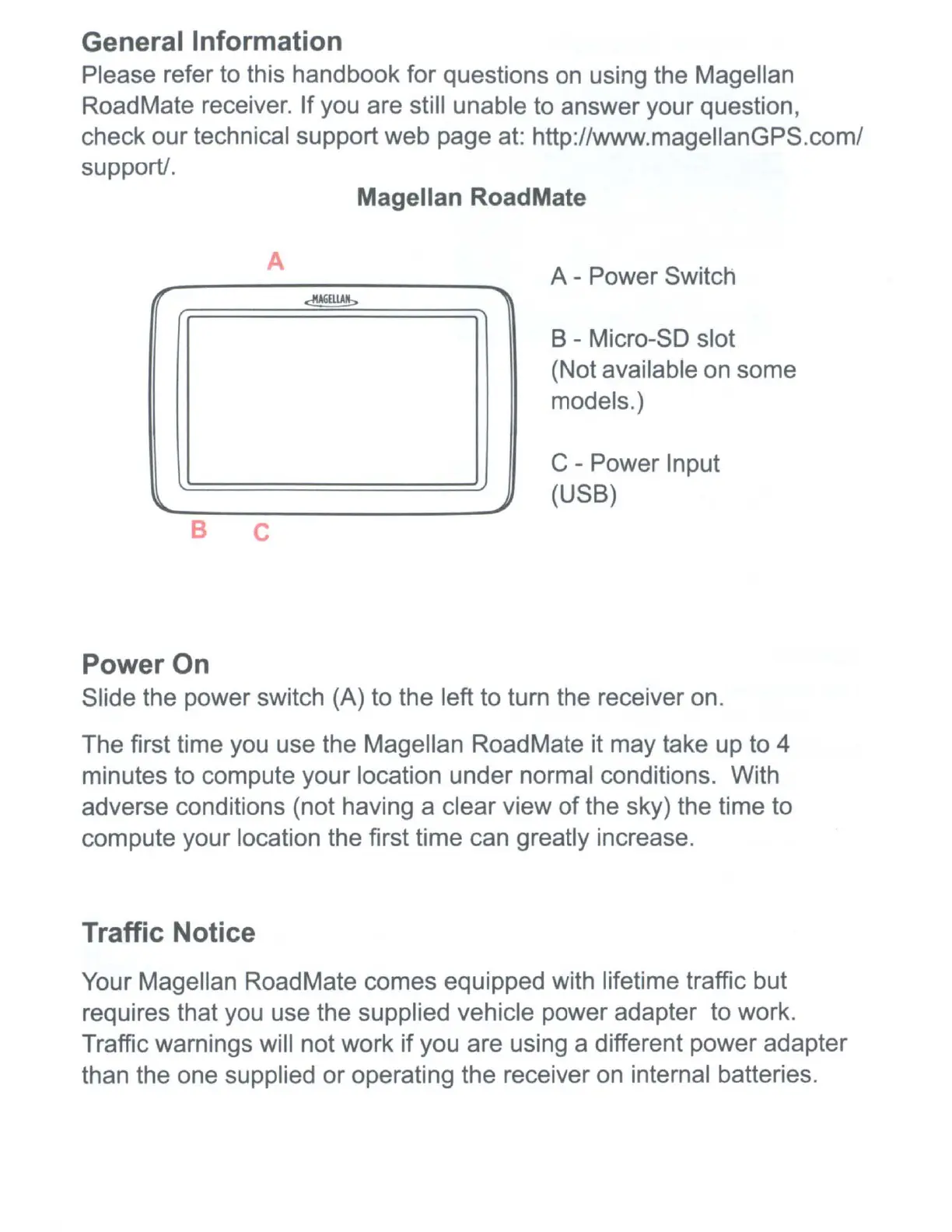
Magellan RoadMate
A
A - Power Switch
~
B - Micro-SO slot
(Not available on some
models.)
C - Power Input
(USB)
B
C
Power On
Slide the power switch (A) to the left to turn the receiver on.
The first time you use the Magellan RoadMate it may take up to 4
minutes to compute your location under normal conditions. With
adverse conditions (not having a clear view
of
the sky) the time to
compute your location the first time can greatly increase.
Traffic Notice
Your Magellan RoadMate comes equipped with lifetime traffic but
requires that you use the supplied vehicle power adapter to work.
Traffic warnings will not work
if
you are using a different power adapter
than the one supplied or operating the receiver on internal batteries.











 To Next Page