Map Screen while Routing
A
B
c
D
E
F
J
H
G
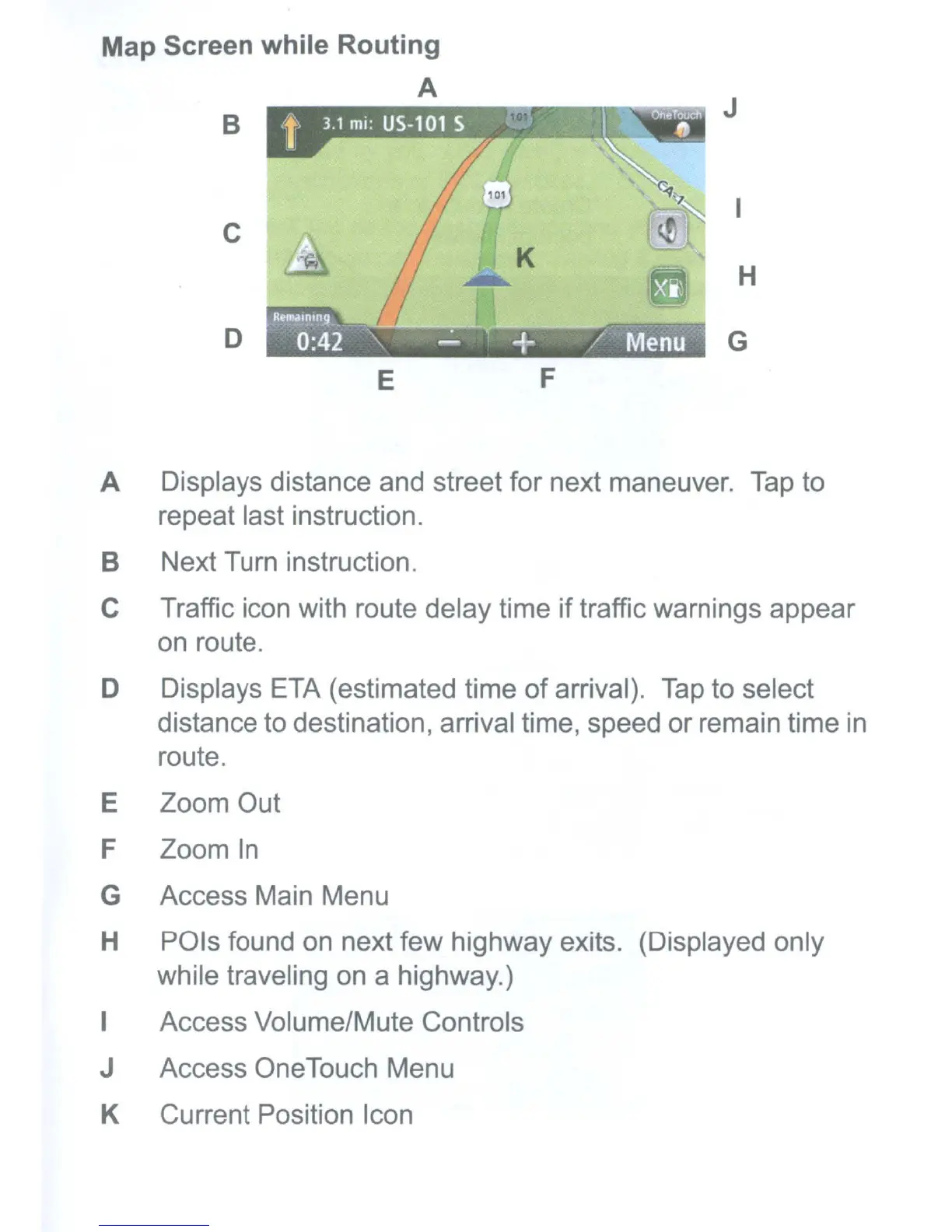
A Displays distance and street for next maneuver.
Tap
to
repeat last instruction.
B Next
Turn
instruction.
C Traffic icon with route delay time if traffic warnings appear
on
route.
D Displays
ETA
(estimated time of arrival).
Tap
to select
distance
to
destination, arrival time, speed or remain time
in
route.
E Zoom Out
F Zoom
In
G Access Main Menu
H POls found
on
next few highway exits. (Displayed only
while traveling
on
a highway.)
I Access Volume/Mute Controls
J Access OneTouch Menu
K Current Position Icon



 To Next Page
 Loading...







