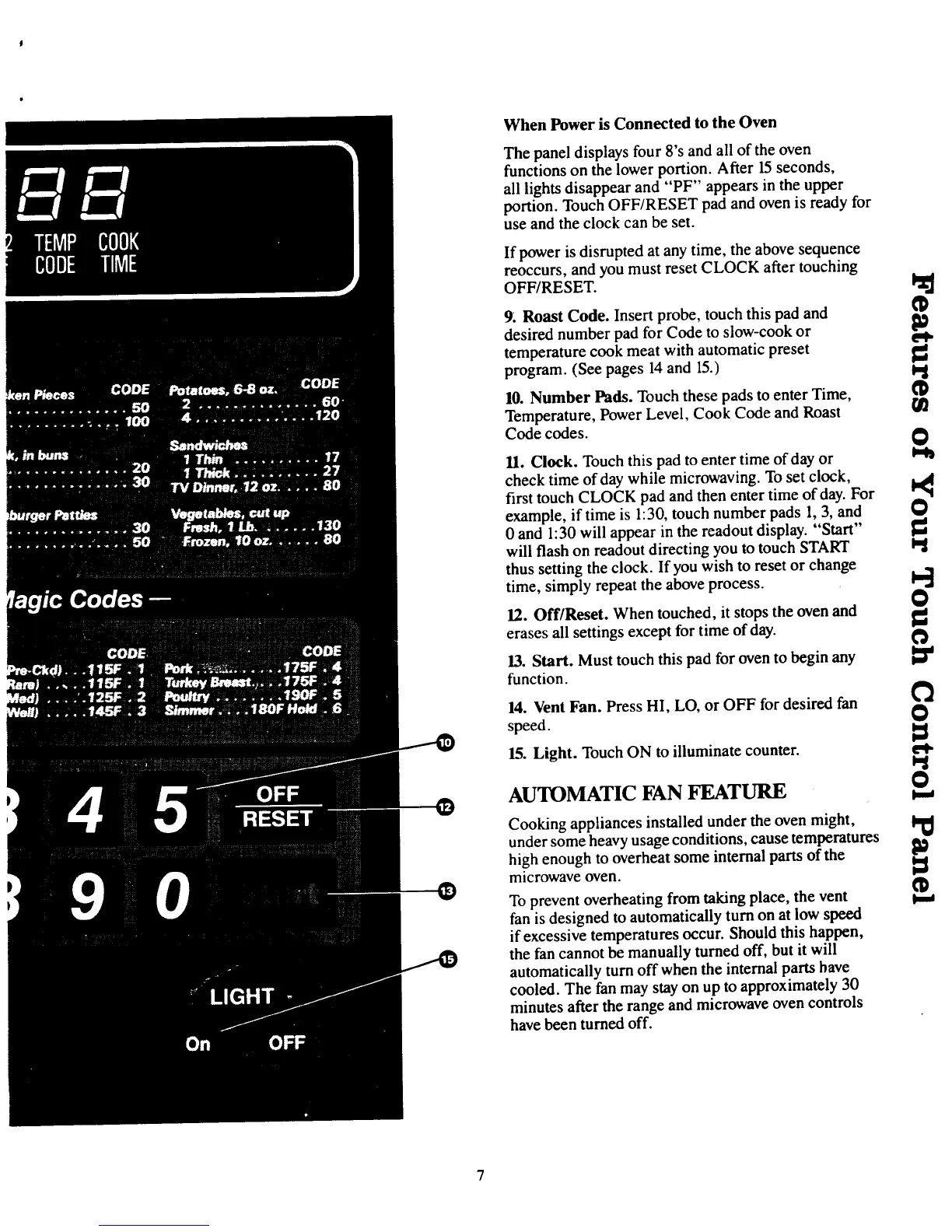
When Power is Connected to the Oven
The panel displays four8's and all of the oven
functions on the lower portion. After 15seconds,
all lights disappear and "PF" appears in the upper
portion. Touch OFF/RESET pad and oven is ready for
use and the clock can be set.
If power is disrupted at any time, the above sequence
reoccurs, and you must reset CLOCK after touching
OFFRESET. I_
9. Roast Code. Insert probe, touch this pad and
desired number pad for Code to slow-cook or P'e.t,
temperature cook meat with automatic preset 1_
program. (See pages 14 and 15.) tq
10. Number Pods. Touch these pads to enter Time, fD
Temperature, Power Level, Cook Code and Roast fI]
Codecodes. 0
11. Clock. Touch this pad to enter time of day or
check time of day while microwaving. To set clock,
first touch CLOCK pad and then enter time of day. For
example, if time is 1:30, touch number pads 1, 3, and O
0 and 1:30 will appear in the readout display. "Start" 1_
will flash on readout directing you to touch START tq
thus setting the clock. If you wish to reset or change
time, simply repeat the above process. I_
O
12. Off/Reset. When touched, it stops the oven and tJ.
erases all settings except for time of day.
13. Start. Must touch this pad for oven to begin any _"
function.
14. Vent Fan. Press HI, LO, or OFF for desired fan _'_
speed.
15. Light. Touch ON to illuminate counter, el-
AUTOMATIC FAN FEATURE O
Cooking appliances installed under the oven might, I_
under some heavy usage conditions, cause temperatures
high enough to overheat some internal parts of the
microwave oven.
To prevent overheating from taking place, the vent t--.,
fan is designed to automatically turn on at low speed
if excessive temperatures occur. Should this happen,
the fan cannot be manually turned off, but it will
automatically turn off when the internal parts have
cooled. The fan may stay on up to approximately 30
minutes after the range and microwave oven controls
have been turned off.



 To Next Page