Cooking byTime
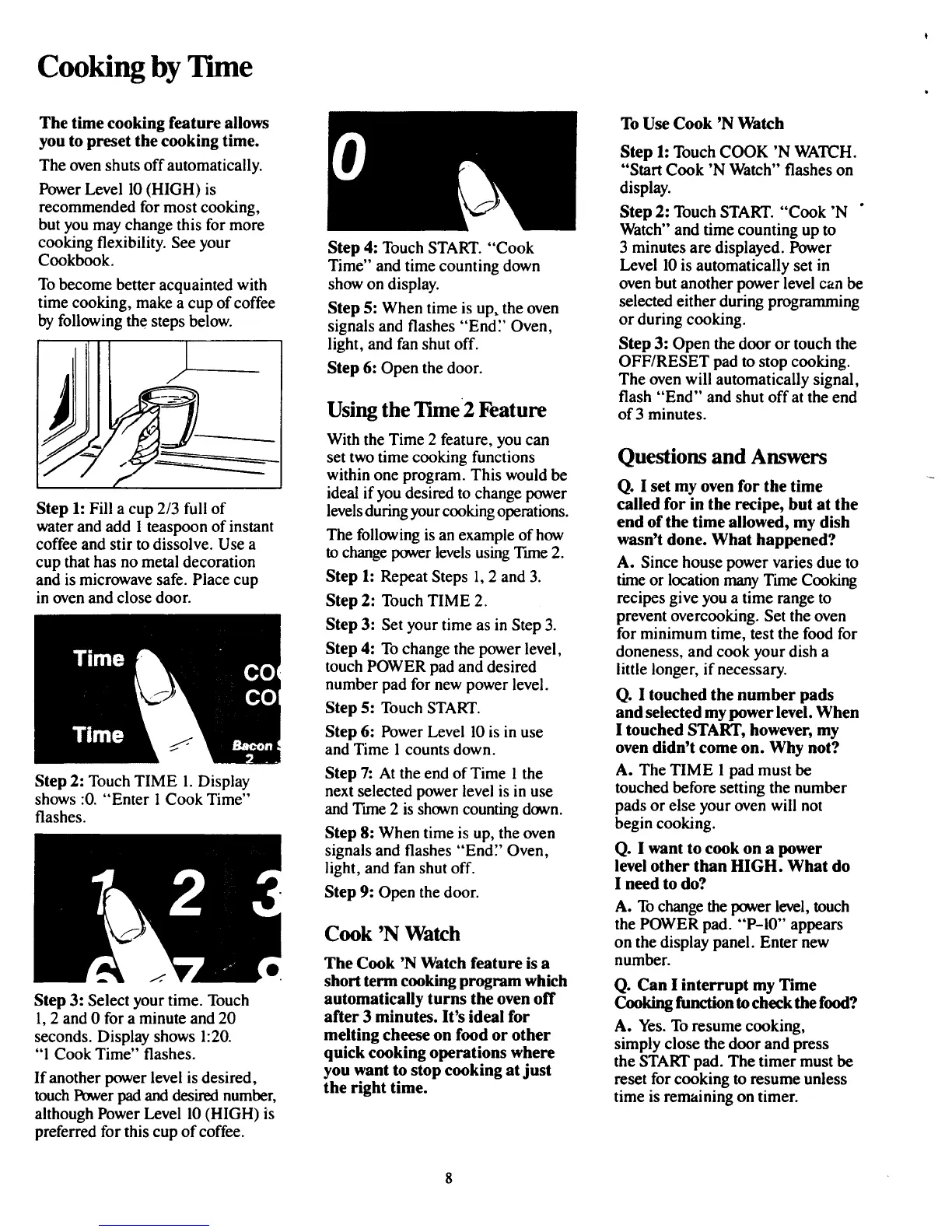
The time cooking feature allows To Use Cook 'N Watch
you to preset the cooking time. Step 1: Touch COOK 'N WATCH.
The oven shuts off automatically. "Start Cook 'N Watch" flashes on
Power Level 10 (HIGH) is display.
recommended for most cooking, Step 2: Touch START. "Cook 'N "
but you may change this for more Watch" and time counting up to
cooking flexibility. See your Step 4: Touch START. "Cook 3 minutes are displayed. Power
Cookbook. Time" and time counting down Level 10is automatically set in
To become better acquainted with show on display, oven but another power level can be
time cooking, make a cup of coffee Step 5: When time is up_ the oven selected either during programming
by following the steps below, signals and flashes "End _'Oven, or during cooking.
light, and fan shut off. Step 3: Open the door or touch the
Step 6: Open the door. OFF/RESET pad to stop cooking.
The oven will automatically signal,
flash "End" and shut off at the end
Using the Time2 Feature of 3 minutes.
With the Time 2 feature, you can
set two time cooking functions Questions and Answers
within one program. This would be Q. I set my oven for the time
ideal if you desired to change power called for in the recipe, but at the
Step 1: Fill a cup 2/3 full of levelsduringyour cooking operations.
end of the time allowed, my dish
water and add I teaspoon of instant The following is an example of how wasn't done. What happened?
coffee and stir to dissolve. Use a
cup that has no metal decoration to change power levels using Tune 2. A. Since house power varies due to
and is microwave safe. Place cup Step 1: Repeat Steps 1, 2 and 3. time or location many Time Cooking
in oven and close door. Step 2" Touch TIME 2. recipes give you a time range to
prevent overcooking. Set the oven
Step 3: Set your time as in Step 3. for minimum time, test the food for
Step 4: To change the power level, doneness, and cook your dish a
touch POWER pad and desired little longer, if necessary.
number pad for new power level.
Q. I touched the number pads
Step 5: Touch START. and selected mypower level. When
Step 6: Power Level 10 is in use I touched START, however, my
and Time 1 counts down. oven didn't come on. Why not?
Step 2: Touch TIME 1.Display Step 7: At the end of Time 1the A. The TIME 1 pad must be
shows :0. "Enter 1 Cook Time" next selected power level is in use touched before setting the number
flashes, and Tune 2 is shown counting down. pads or else your oven will not
Step 8: When time is up, the oven begin cooking.
signals and flashes "End7 Oven, Q. I want to cook on a power
light, and fan shut off. level other than HIGH. What do
P- Step 9: Open the door. I need to do?
A. Tochange the power level, touch
the POWER pad. "P-10" appears
Cook 'N Watch
on the display panel. Enter new
• The Cook 'N Watch feature is a number.
short term cooking program which Q. Can I interrupt my Time
Step 3: Select your time. Touch automatically turns the oven off Cooking function to check the food?
1,2 and Ofor a minute and 20 after 3 minutes. It's ideal for A. Yes. To resume cooking,
seconds. Display shows 1:20. melting cheese on food or other simply close the door and press
"1 Cook Time" flashes, quick cooking operations where the START pad. The timer must be
If another power level is desired, yon want to stop cooking at just reset for cooking to resume unless
touch Powerpad and desired number, the right time. time is remaining on timer.
although Power Level l0 (HIGH) is
preferred for this cup of coffee.



 To Next Page
 Loading...