magicleap.com Copyright © 2024 Magic Leap Inc.
Magic Leap 2 Maintenance
(cont.)
Managing heat/thermals
Magic Leap 2 Device Troubleshooting Best Practices
Lighting
Cleaning Protocol
Customer Support
Magic Leap 2 Warranty
Magic Leap 2 Disposal
Regulatory information
Environmental Considerations
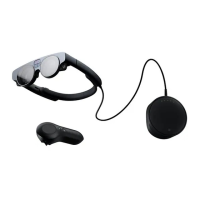
Magic Leap 2 does generate heat while in use like any electronic. As the device starts to heat up,
the compute pack fan will turn on. It is recommended that the compute pack be unobstructed
to provide airow. If the heat on the compute pack becomes unmanageable for the device, the
high-temperature warning notication is triggered.
Optimal operating environment temperatures are:
• Operating environment: 10°-30° C or F/ -95% Relative Humidity / 2000m equivalent
• Non-operating storage: -20° C-45° C or F / 5-95% Relative Humidity
Customers who must operate Magic Leap 2 for extended periods should ensure the compute
pack has enough airow to dispense the heat. For more information refer to the safety guide.
Below are a list of the most common issues customers face and a link on how to resolve them.
• OS update failure either from the OS Installer failing in ML Hub or running into an error
during ashing resulting in a boot loop.
• The controller is unresponsive or the controller fails to update
• Headpose is lost and digital content is shifted, digital content is ying away or digital con-
tent appears tilted
• Try restarting the device if you have an issue. If it does not resolve the issue perform a
hard reset
When an environment is too bright, digital content may not appear as dense, which can impact
device functionality, depending on the features used.
• For digital content that does not appear as dense, a user can leverage the Segmented
Dimming™ feature when the environment is too bright. Read this resource for more infor-
mation on the Segmented Dimming™ feature
• If the area is too dark (i.e. low light scenarios with <10 lux), headpose (tracking of the
headset in the environment) may occur. Then, the headpose will not be able to handle fast
motions as well and may not be able to recover from tracking lost events.
The Magic Leap 2 is made of plastic and glass components that are meant to be cleaned after
use if it's a shared device. Here are the instructions to clean the device.
If there are issues that persist, it is recommended to reach out to the Customer Care team.
Magic Leap 2 warranty is identied with the product serial number. For more information on the
warranty, view this resource.
When the Magic Leap 2 (and the batteries inside it) reach their end of life, they should be dis-
posed of in accordance with local, state, and federal regulations. For more information, refer to
the Magic Leap Environmental Information page.
Magic Leap 2 regulatory information includes information on temperature range, disposal,
radio and TV interference, and more.
Magic Leap 2 blends the digital and physical worlds by placing digital content in your surround-
ings. When using an application, digital content will ll your surroundings as you see and move
around your space. There are environmental considerations when using the device. This article
goes into depth into how headpose is impacted by the environment.


 To Previous Page
 Loading...