2
ENG
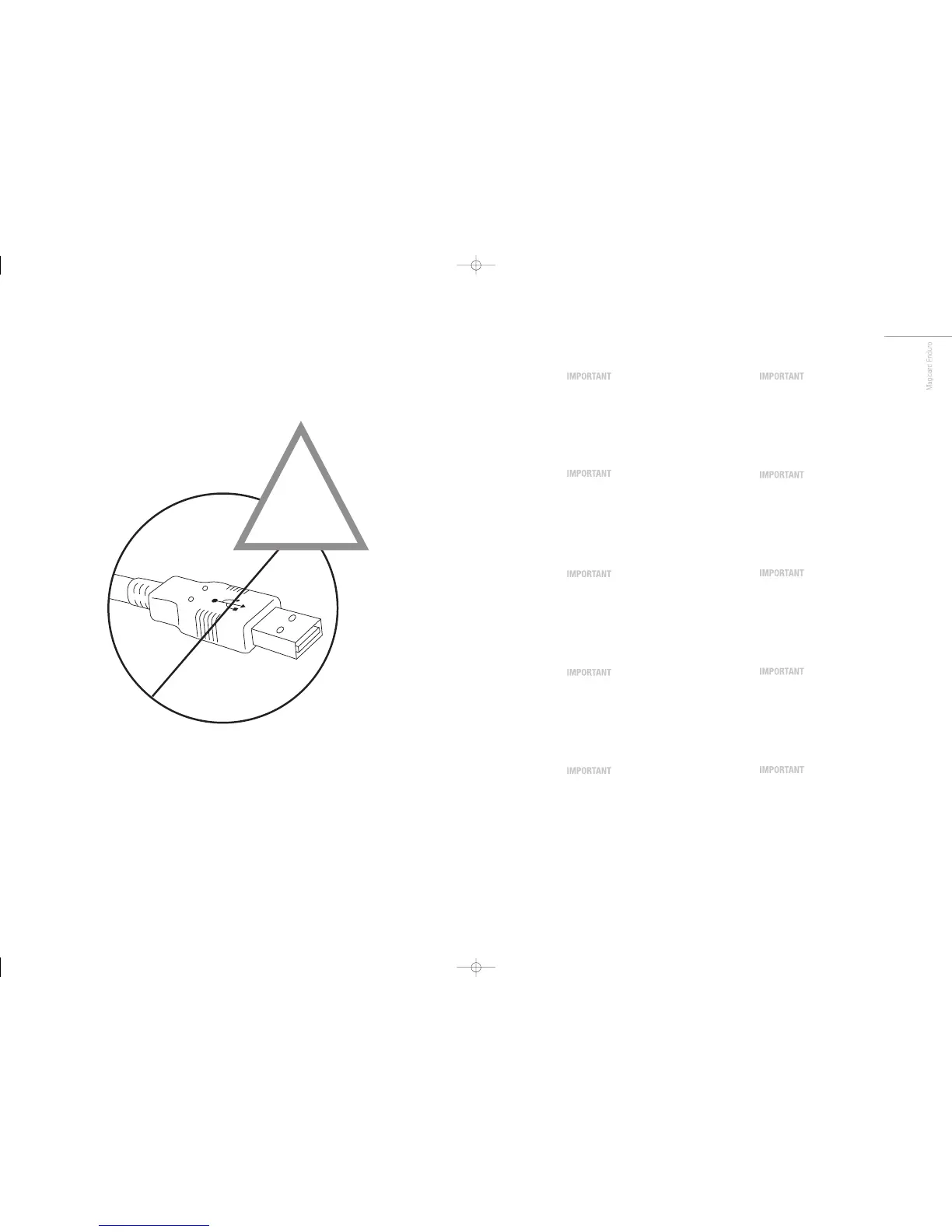
Do not connect to USB yet.
It is important to install the Ultra driver CD-
ROM first, before connecting the USB cable
between your PC and Enduro printer.
FR
Do not connect to USB yet.
It is important to install the Ultra driver CD-
ROM first, before connecting the USB cable
between your PC and Enduro printer.
ES
Do not connect to USB yet.
It is important to install the Ultra driver CD-
ROM first, before connecting the USB cable
between your PC and Enduro printer.
PT
Do not connect to USB yet.
It is important to install the Ultra driver CD-
ROM first, before connecting the USB cable
between your PC and Enduro printer.
IT
Do not connect to USB yet.
It is important to install the Ultra driver CD-
ROM first, before connecting the USB cable
between your PC and Enduro printer.
DE
Do not connect to USB yet.
It is important to install the Ultra driver CD-
ROM first, before connecting the USB cable
between your PC and Enduro printer.
CN
Do not connect to USB yet.
It is important to install the Ultra driver CD-
ROM first, before connecting the USB cable
between your PC and Enduro printer.
RU
Do not connect to USB yet.
It is important to install the Ultra driver CD-
ROM first, before connecting the USB cable
between your PC and Enduro printer.
PL
Do not connect to USB yet.
It is important to install the Ultra driver CD-
ROM first, before connecting the USB cable
between your PC and Enduro printer.
NL
Do not connect to USB yet.
It is important to install the Ultra driver CD-
ROM first, before connecting the USB cable
between your PC and Enduro printer.
!
USB
Enduro QSG multi language V3 - 07:Enduro QSG multi language V2- 07 29/1/08 14:10 Page 11














 To Next Page