EasyManua.ls Logo

Magicard 300 Series - User Manual

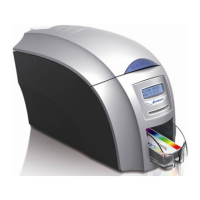
Magicard 300 Series
44 pages
Print Icon
To Next Page IconTo Next Page
Loading...
1
User Manual
300 ID Card Printer
Document: 4747 Issue 1.01 – 21/05/2019
Question and Answer IconNeed help?

Do you have a question about the Magicard 300 Series and is the answer not in the manual?

Summary

General Information and Safety

Printer Safety Instructions

Essential safety precautions for operating the printer to prevent hazards.

Device Modification Caution

Warnings regarding unauthorized modifications and their impact on operation and warranty.

Dye Film Installation Guide

Power Supply Connection

Driver Installation Process

Driver Installation Wizard Steps

USB Driver Installation Procedure

Ethernet Driver Installation Procedure

Accessing Printer Driver Settings

Printing Preferences Tabs Overview

Printer Front Display Menu Options

Printer Maintenance and Cleaning

Printer Cleaning Procedure

Replacing the Cleaning Roller

Using the Cleaning Pen

Printer Error Codes: Setup and Card Handling

Printer Error Codes: Card Jams and Film Issues

Printer Error Codes: Film and Cam Mechanism Errors

Printer Error Codes: Film Type and Removal Issues

Printer Error Codes: Cam and Flip Mechanism Errors

Printer Error Codes: Flip and Invalid File Issues

Printer Error Codes: Invalid File (Magnetic Data)

Printer Error Codes: More Invalid File, Upgrade, Sensor Issues

Printer Error Codes: Internal and SD Card Issues

Printer Error Codes: Holokote, Upgrade, Software Errors

Printer Error Codes: SD Card, Install, Feature Errors

Printer Error Codes: Overcoat and Motor Faults

Printer Error Codes: Printhead, SD Card, Magnetic, Colour Issues

Magicard 300 Series Specifications

General IconGeneral
Resolution300 dpi
Card Capacity Input Hopper100 cards
Card Capacity Output Hopper70 cards
ConnectivityUSB, Ethernet
Print TechnologyDye Sublimation
Card Thickness0.76mm
Card TypesPVC, Composite PVC
Power Supply100-240V, 50-60Hz
Warranty3 years limited warranty

Related product manuals