15
6.2. Inserting the memory card
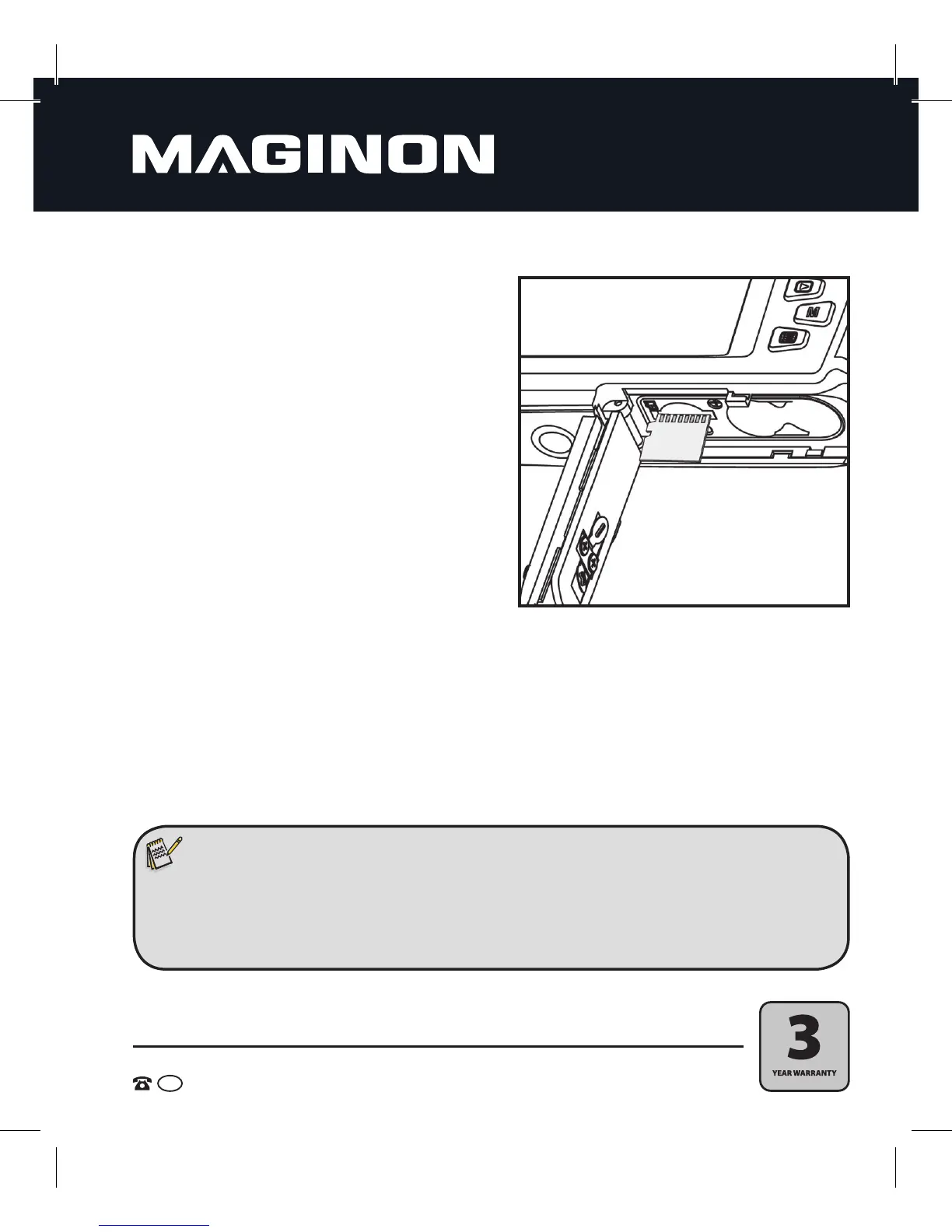
1. First turn o the camera and then open the
battery compartment as previously described.
2. The memory card (microSD/ SDHC card) is
inserted into the small compartment next
to the batteries. Slide in the memory card
into thecard slot with the gold pins rst and
facing the rear monitor until it clicks in place.
Do not forcefully insert the card, since this
coulddamage the card and the card slot.
Make sure to format the memory card with
the camera before you use it for the first time.
Read the section 6.3. regarding the formatting
of the memory card.
3. After inserting the batteries, shut the cover and slide it towards the tripod thread with gentle
pressure. The cover will lock into place and close tightly.
Note:
• To avoid damage to the memory card, turn the camera off before inserting or removing the
memory card. If you insert or remove the microSD/ SDHC memory card while the camera is
turned on, it will switch off automatically.


 To Next Page