11
5. Setting up the WiFi Network Camera
5.1. Introduction
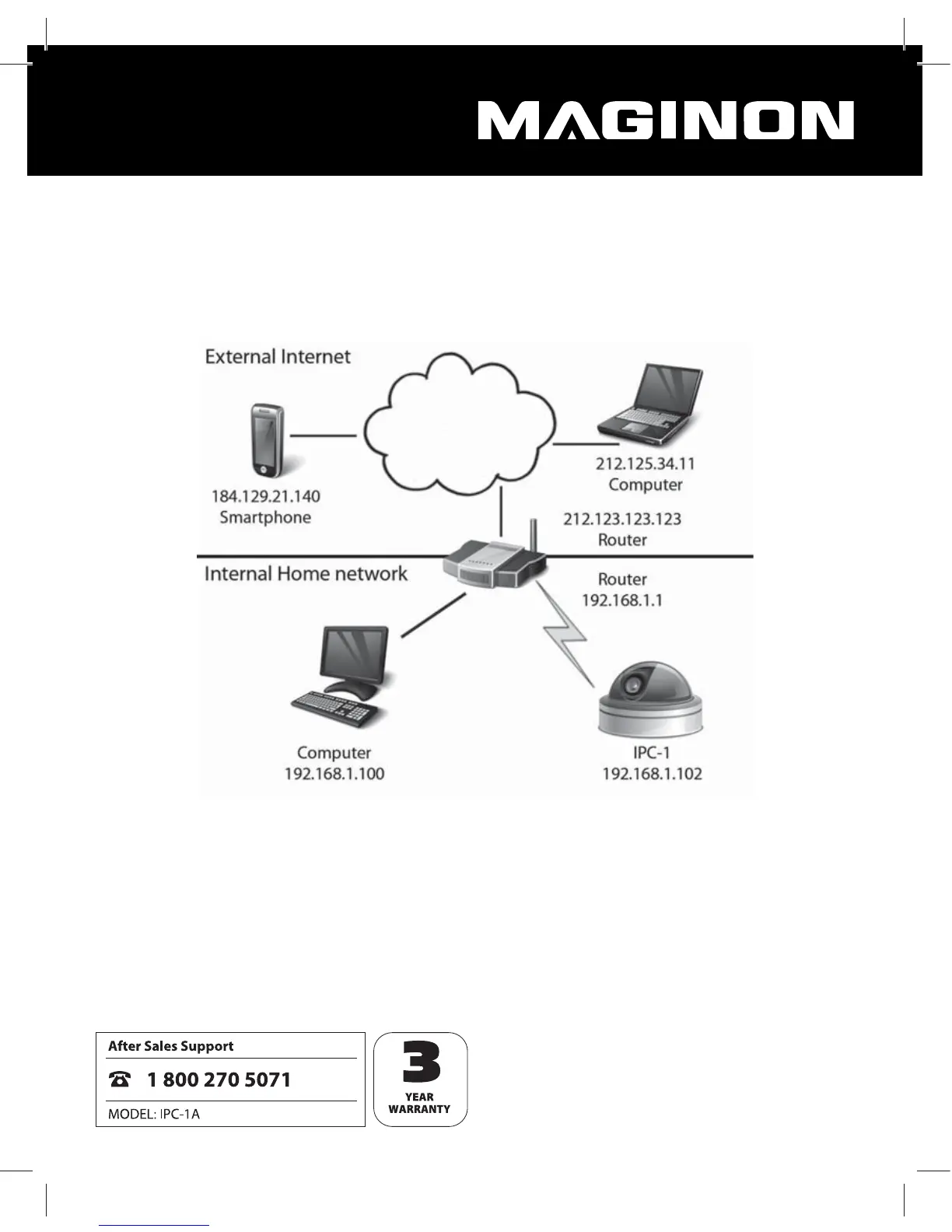
The below diagram shows how to integrate the WiFi Network Camera in your existing home
network and how it can be accessed via the Internet.
The router provides the local network in your home and also provides access to the Internet.
The WiFi Network Camera is therefore connected to the router using a network cable or via
WiFi. This allows users to access the WiFi Network Camera from the local network as well as
via the Internet.
It must be observed that the network addresses of the router and thus also of the WiFi Network
Camera are dierent for the local network and for the Internet. The router must also generally
be set up in such a way that the WiFi Network Camera can be accessed via the Internet.


 To Next Page