32
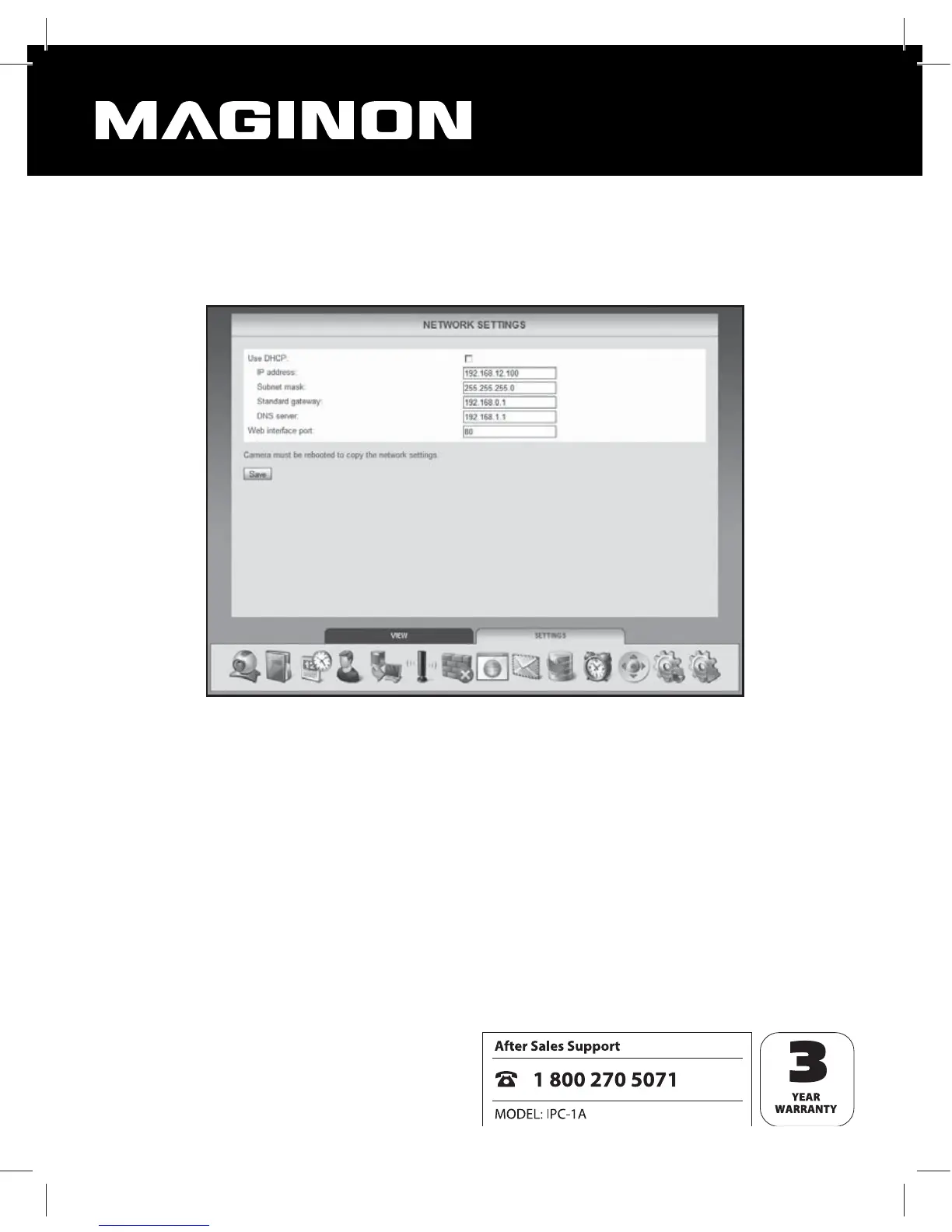
7.5. Network settings
Network settings must be set up to connect the WiFi Network Camera to an existing network
or a router.
Use DHCP: Click this option where a new device (Client) can be automatically connected to
your network. All required data is then directly obtained from the server or router.
Port of Web platform: Connections in a network are provided via so called ports. Provided
they have an identical network address the servers and each connected device (Client) can
work through various ports.
The standard value for the WiFi Network Camera is 80. Where necessary, this can be changed
within the range 1-65535.
The port of the Web platform should always be set to the same port in the router as the
external port of the WiFi Network Camera (see section 5.8, Internet access).


 To Next Page