51
Add a new camera
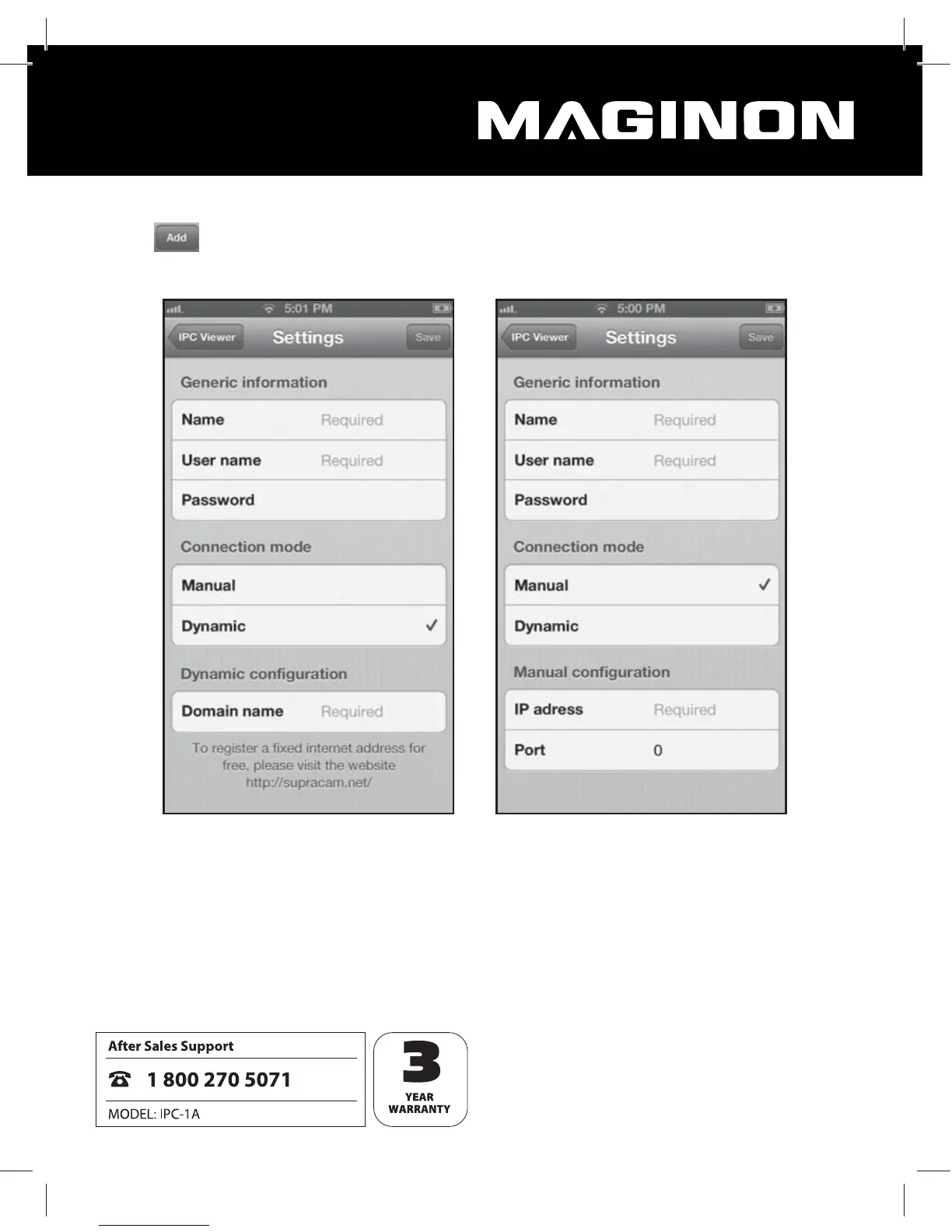
Select from the overview to set up a new WiFi Network Camera in the program. A
screen appears in which the data required for the WiFi Network Camera can be entered.
The following general information must be entered:
Name: Enter a name for the WiFi Network Camera to be set up. This name only serves for
the purpose of recognition if several WiFi Network Cameras have been installed.
User name: Please enter a user name for which you have an access authorisation for the
WiFi Network Camera to be installed.
Password: Enter the password for the specified user name.


 To Next Page