54
To change the alignment of the WiFi Network Camera and move the camera head, simply
move nger across the display in the desired direction. The camera head then moves in this
direction until you touch the display again.
Where the camera head is controlled via the App, the manual speed is automatically set
to the value “9” in order to compensate for any delays caused by access via a Smartphone.
When controlling the camera from a Browser, the manual speed can be adjusted at any time.
See section 7.12 Head settings.
When in full screen view, the current image can be saved by touching the camera symbol
. In iOS, the image is stored in the folder “Photos” and on Android systems under “Gallery”
in album “IPC Viewer”.
Touch the icon in order to switch the sound reproduction on or o.
Return to the preview from the full screen view by touching the arrow.
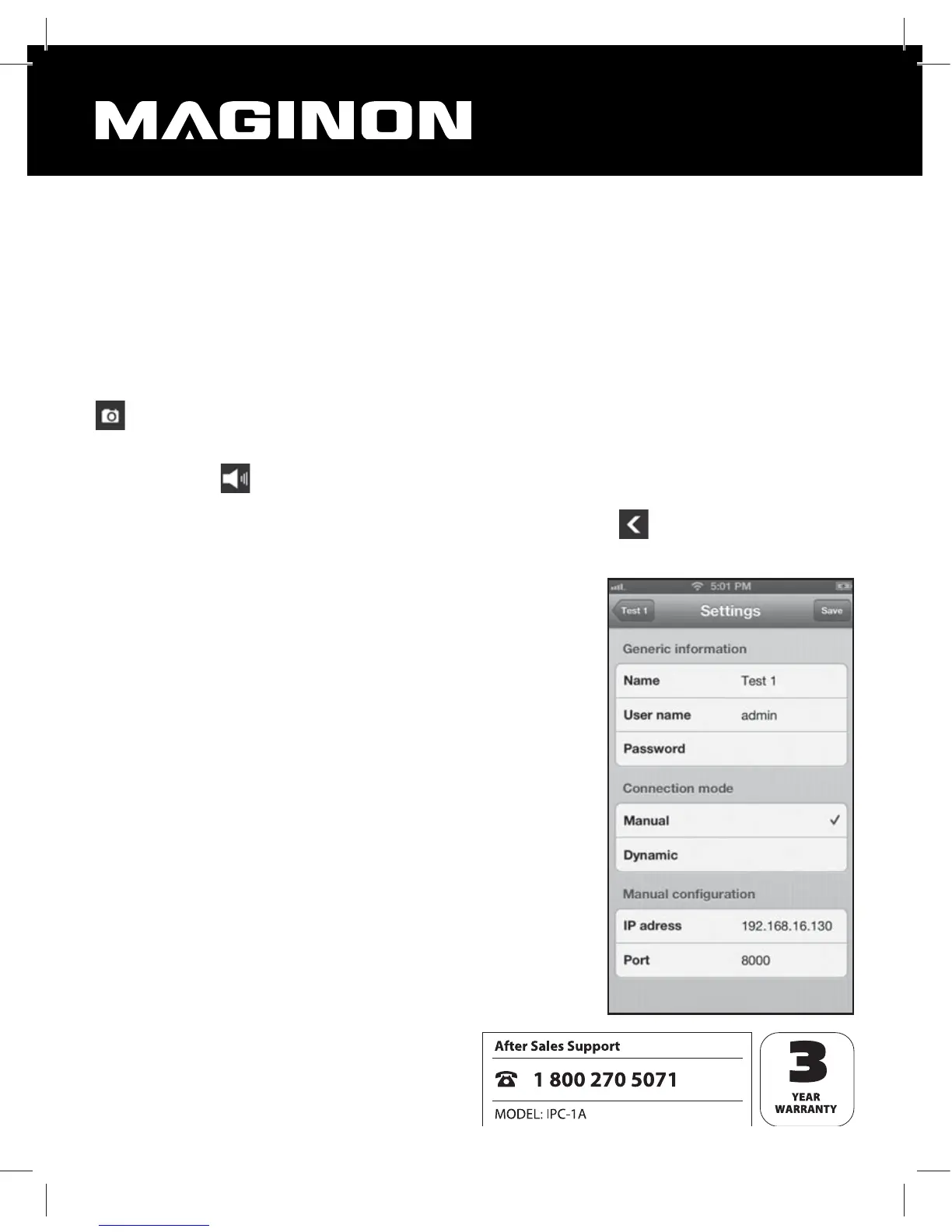
Edit camera
You can change the settings of a WiFi Network Camera at
any time by selecting “Edit” when in preview. You can then
enter the settings from the section “Add new camera”.
After changing one or several settings you can save these
by clicking on “Save”.
To leave the settings page without storing the changes,
touch the name of the selected WiFi Network Camera at
the top left of the display.


 To Next Page