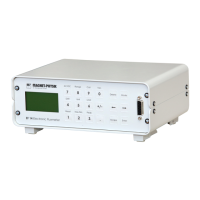
Range Allows to select the field measurement range. The available ranges depend
on the probe type.
Auto Switches on the auto range function
Zero Used to zero offsets of ambient low-level field, or from the probe. When
the user pushes the Zero Probe key, Zero Probe and "Press Enter to start"
will be displayed. The user may than press the Enter key to begin the zero
probe routine. The unit then automatically accepts whatever residual field
it reads as a zero offset, forcing the display to zero. Zero Probe is normally
activated if the probe is placed in the shielding chamber. It can also be
activated with the probe outside of the chamber to suppress ambient
magnetic fields. After some time, the display returns to normal reading.
Filter Switches Filter on and off.
Unit The FH 55 can display the magnetic flux density (induction) B in Tesla (T)
or Gauss (G) or the magnetic field strength H in Ampere per Meter (A/m).
By pressing the unit button, the user can select between these units.
Temp. Switches probe temperature display on or off. This function is only
available, if the probe has a built-in temperature sensor.
Limit This key is used to invoke a small menu that allows to activate, deactivate
and configure the limit function.
Max./Min. Turns the Max./Min. feature on and off. Max./Min. captures and displays
the absolute value of the highest field reading or the smallest and highest
reading.
Peak Allows the measurement of the maximum of peak magnetic fields or the
peak value of AC fields.
Reset Works with the Max./Min. and the DC Peak function. Resets the reading
back to zero to capture the next reading.
Relative This key is used to invoke a small menu that allows to activate or
deactivate relative function and to set the relative value.
Mode Switches between the standard display and the main menu. In the menu
additional functions can be invoked.
Enter Used to accept the numbers displayed during numerical entry.
Escape The Escape key is used to terminate a function without making changes to
the existing settings. The unit will the return to normal operation.
Delete Used to erase numerical inputs



 To Next Page