After the operations described in the previous section, connect HP quick connector (red)
of the device to the external tank using a supplied adapter.
Open the coupling by twisting the valve clockwise.
Open the valve on the external tank.
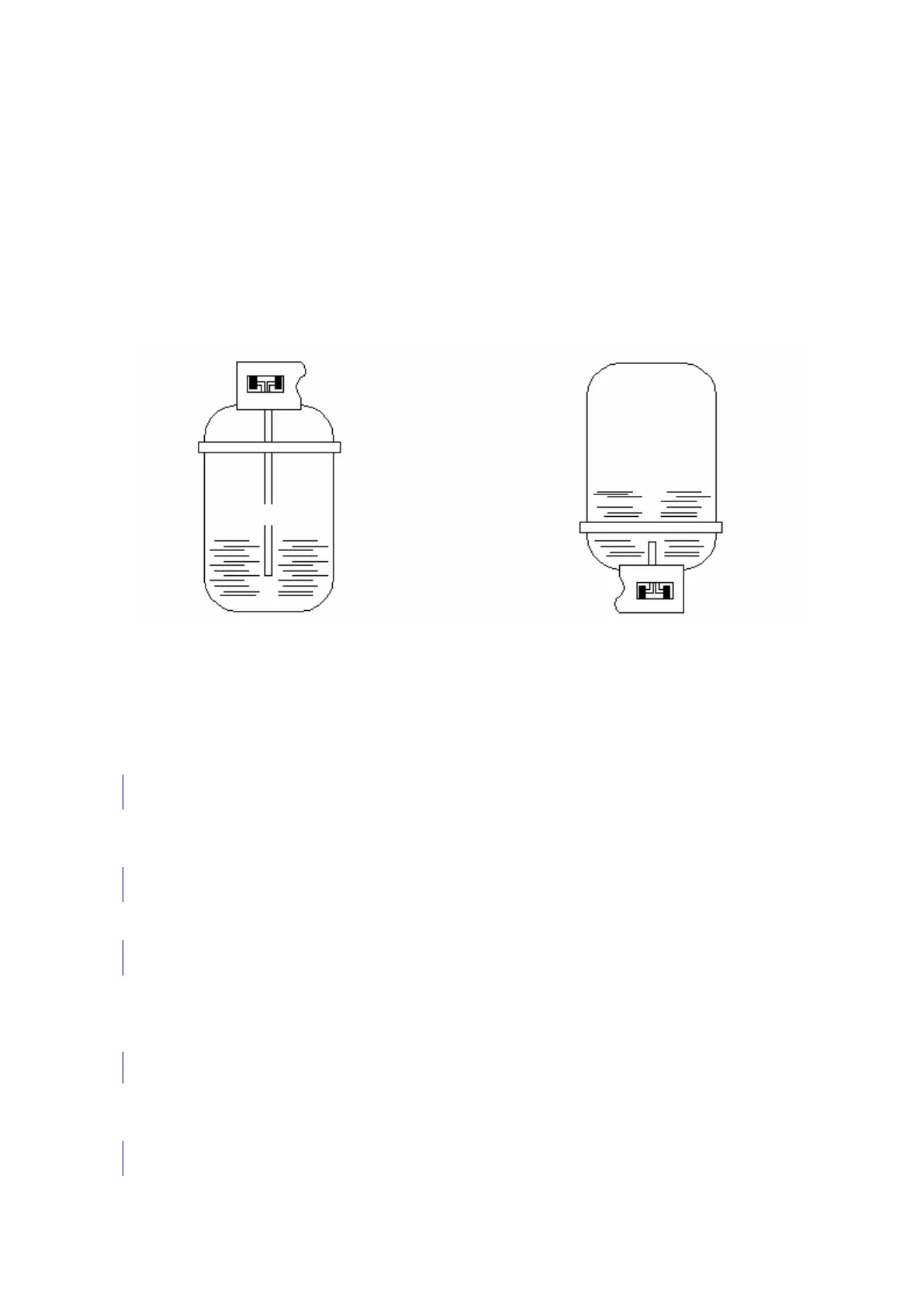
There are two different tanks available: with and without suction pipe.
tanks with suction pipe must be positioned straight to let the liquid refrigerant flow. These
tanks must be connected to L (liquid) coupling.
tanks without suction pipe have only one valve and therefore must be put with their top
down to let the liquid refrigerant flow.
TANKS
Tank with a float Tank without a float
Open HP valve on the main panel
If the device is in stand-by, press ENTER
Registration no. □
Other Menu ■
Press UP–DOWN to select Other menu. Confirm by pressing ENTER.
Cylinder filling ■
Servicing □
Push UP–DOWN to select cylinder filling. Confirm by pressing ENTER
Printing □
Diagnostics □
Printing and Diagnostics are available only if memory card and/or printer is installed
.
Connect high pressure hose
to the external cylinder
. Confirm by pressing ENTER
Open cylinder valve


 To Next Page