Home
Magtek
Card Reader
DYNAMAG
Demo Guide
Page 23 (How to Modify Manifest)
Magtek DYNAMAG - How to Modify Manifest; How to Sign JAR
26 pages
Manual
Save Page as PDF
To Next Page
To Next Page
To Previous Page
To Previous Page
Loading...
5 - How to use the
MTNET OEM
Demo via
USB Interface
DYNAMAG, DYNA
MAX, EDYNAMO,
UDYNA
MO, ADYNAMO,
MDYNAMO, T
DYNAMO, DYNAWAVE
|
S
CRA Devi
ces
|
MTNET
Demo Guide
Page 23
6)
To
rea
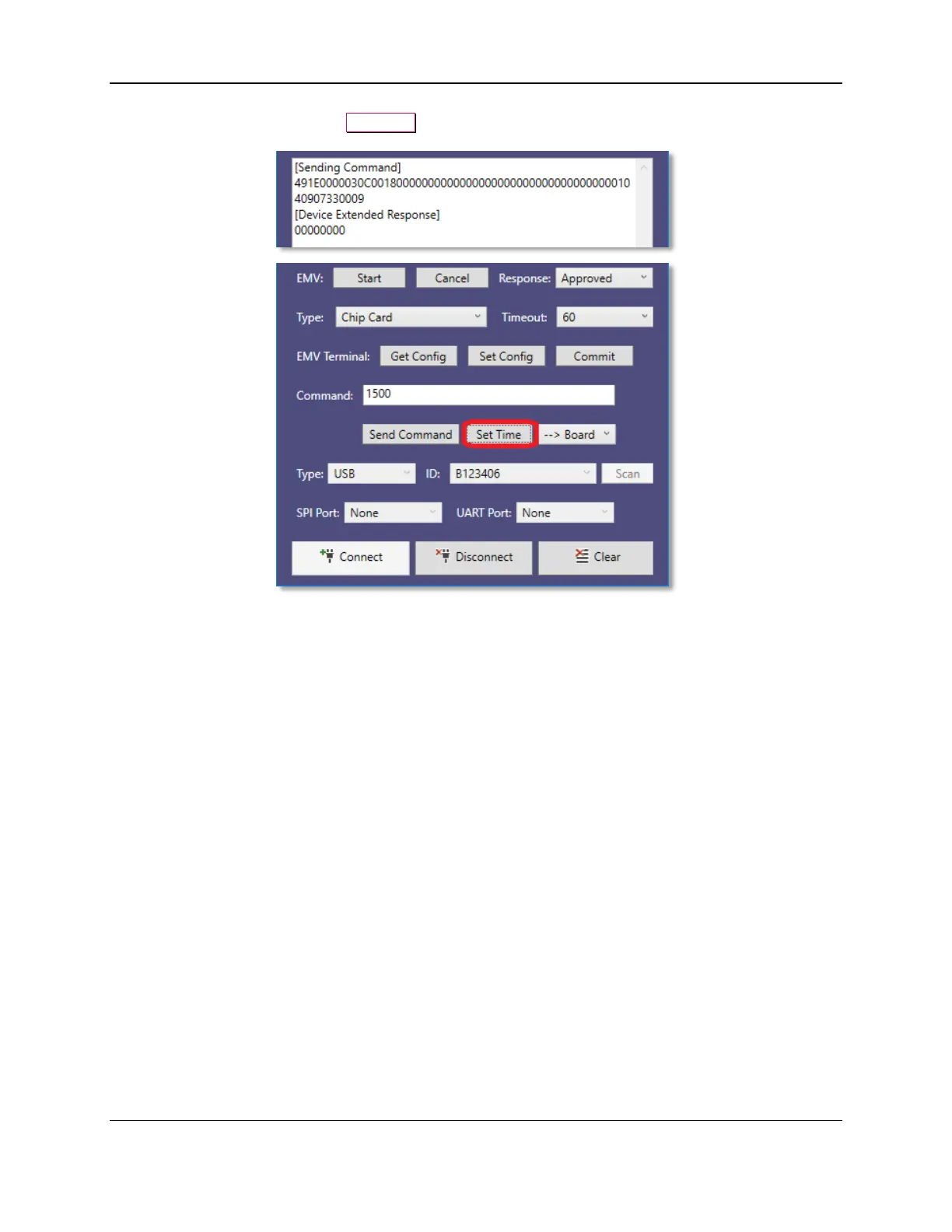
d a chip card
, press the
S
et
T
i
me
button.
22
24
Table of Contents
Main Page
Default Chapter
5
Table of Contents
5
1 Introduction
6
2 How to Connect Bluetooth LE Devices to a Windows Host
7
3 How to Connect to MTNET Demo
11
Connect Via USB Interface
11
Connect Via Bluetooth LE / LE EMV / LE EMVT Interface
12
Connect Via Serial Interface
13
4 How to Use the MTNET Demo
14
5 How to Use the MTNET OEM Demo Via USB Interface
21
Other manuals for Magtek DYNAMAG
Instruction Manual
61 pages
Programmer's Reference
29 pages
Related product manuals
Magtek eDynamo
34 pages
Magtek Mini MICR
5 pages
Magtek UDYNAMO
2 pages
Magtek tDynamo
39 pages



 To Next Page