BAZ72501-en
Pos: 26 /Techn ische Dokument ation/Alle Ger äte/Übersc hriften/ Überschrifte n 1/B/Überschr ift 1: Bedienu ng @ 6\mod_1174482271218_75.docx @ 76877 @ 2 @ 1
Pos: 2 7 /Tec hn ische Dokum ent ation/ Leist ungs prüfs tänd e, Dia gnos e-/Abgas ger ät e/Z7 Zub eh ör a llgem ei n/2 501 M AHA P TI T ool/ BA/ Inh alt: Z 72 5 Be die nun g @ 39\mod_1408612208881_75.docx @ 2078242 @ 22222222 @ 1
• Manufacturer’s diagnosis: EUROSYSTEM software v7.50.062 or higher
• OBD: MAHA Emission Software v7.51.008 or higher
• USB or Bluetooth interface
• MAHA PTI Tool with licence number (activation key)
• XDS: PTI-Tool WebService (installed automatically)
• .Net Framework 4.0, Visual C++ 2012 Libraries (installed automatically)
Establishing a Bluetooth Connection to EUROSYSTEM 7.50
1 Start EUROSYSTEM.
2 Plug the MAHA PTI Tool into the vehicle and turn the ignition.
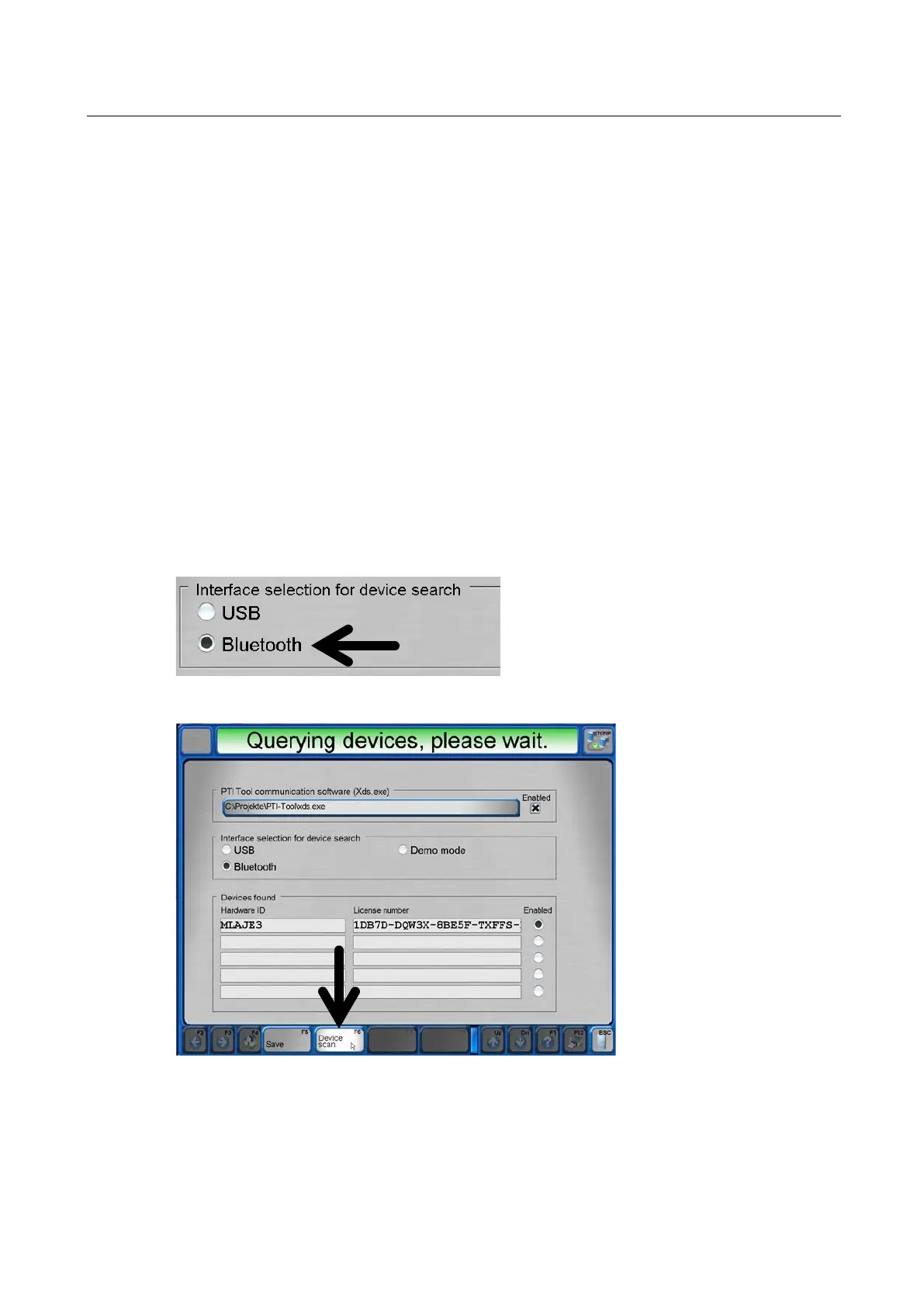
3 Establish the Bluetooth connection under System > Settings > PTI Tool.
4 <F6> Device scan.


 To Next Page