Operation Manual
touchTymp MI 24
and
MI 34
Version
Performing a measurement
Choose the ear by pressing on the corresponding
tympanogram, the ear buttons (Figure 42) or the
Probe button.
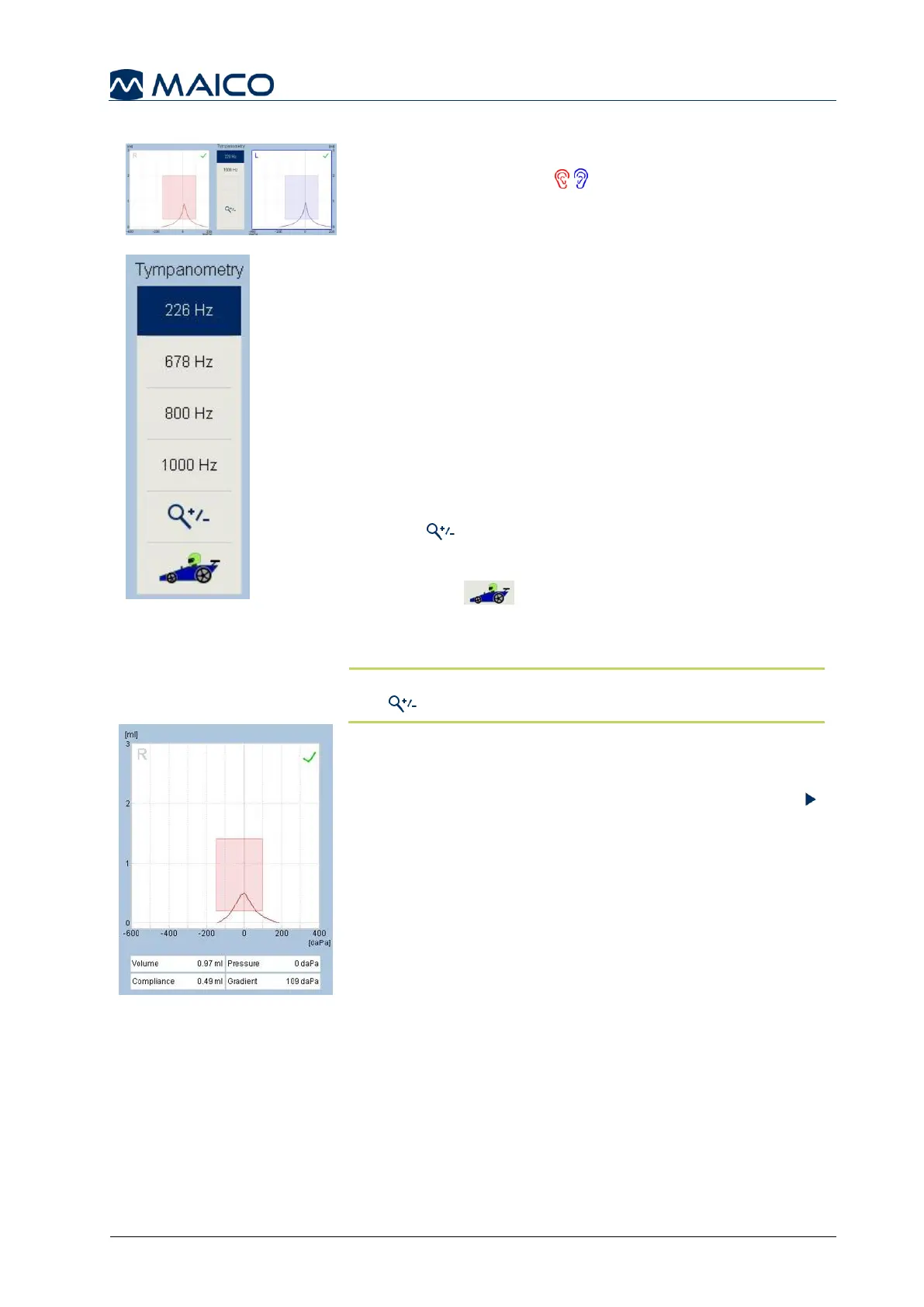
Choose the test frequency by pressing on the
corresponding button.
226 Hz: Test frequency of 226 Hz is always preselected
as default. A 226 Hz testing is recommended for adults
and children older than ½ year.
678 Hz: Test frequency of 678 Hz (MI 34 version only).
800 Hz: Test frequency of 800 Hz (MI 34 version only).
1000 Hz: Licensed function, to be chosen if patient is
younger than half a year.
Press to increase or decrease the intercepts of the
graphs.
RaceCar : Licensed function, to display
RaceCar animation during testing. See section 5.4.4.3
for more information (Figure 43).
NOTE: If you print the test results, it will be printed with
the view as displayed on the screen.
The measurement will be started as soon as the probe is
properly placed in the ear when automatic is selected
within the Settings menu, see section 5.6.3. When
manual start of the measurement is selected, the Play
button or the Probe button is pressed. The measured
curve will be displayed simultaneously to the ongoing
test. Below the graphic the numerical values are shown
(Figure 44):
Volume: indicates the volume of the section of the
auditory canal between the eartip and the eardrum in ml.
Compliance: indicates the maximum value of the
compliance from the Tympanogram in ml or mmho.
Pressure: indicates the pressure in daPa at the
highest measured Compliance.
Gradient: calculations are reported as the
Tympanogram width at half of peak compliance
expressed in daPa.



 To Next Page