Operation Manual
touchTymp MI 24
and
MI 34
Version
Active Buttons within the RaceCar screen are:
Ear buttons: Select test ear or touch the Tympanometer graph
(Tympanometry module only).
Play button: to start the test when manual operation is defined.
Tympanometry or Tympanometry and Acoustic Reflexes returns the
examiner to the test module.
5.4.4.4 Performance and Evaluation of Reflex Decay Test – MI 34 Version
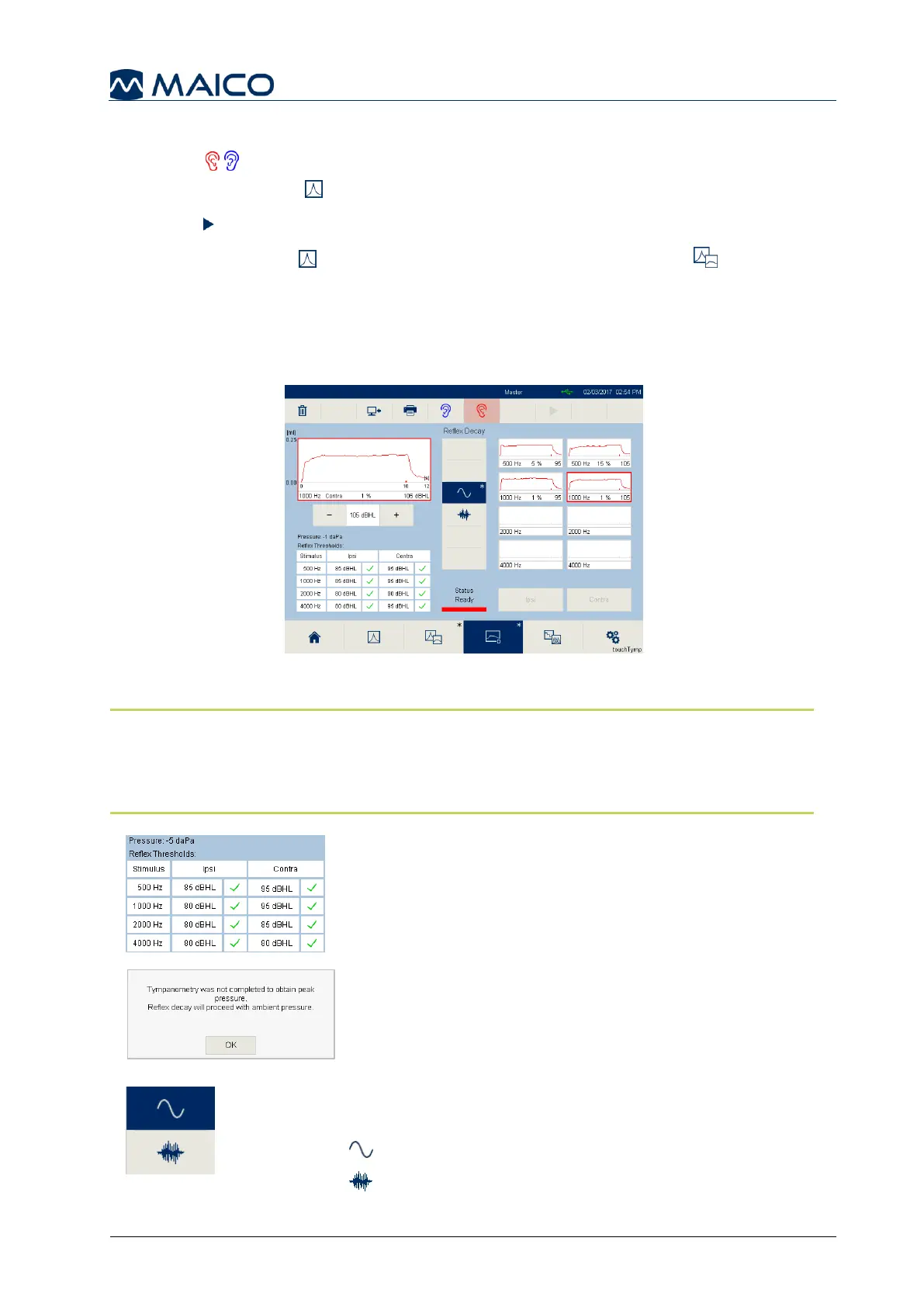
Selection of the Reflex Decay icon on the Home screen or Fixed Function Bar moves
to the Reflex Decay screen (Figure 58).
Performing a measurement
NOTE: Tympanometry and Acoustic Reflex measurements are recommended to
be performed before each Reflex Decay test to find the maximum compliance
pressure and Acoustic Reflex threshold. The results will be displayed on the screen
for instant review.
Pressure: is the peak pressure of the
Tympanogram
performed.
Reflex Thresholds: the results from the Tympanometry
and Acoustic Reflex module for ease of selecting the
Reflex Decay presentation level (Figure 59).
When a test is started without Tympanometry and
Acoustic Reflex measurements, a message box
appears to continue operation (Figure 60).
Choose the test stimulus by first pressing on the
stimulus type button (Figure 61):
: Pure tone (500 Hz, 1000 Hz, 2000 Hz, 4000 Hz)
: Noise (Broadband, High Pass, Low Pass)



 To Next Page