Frequency Measurement
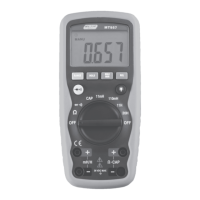
1. Insert the black test lead into
the negative COM terminal
and the red test lead into the
positive V/ terminal.
2. Set the function switch to the
Hz position.
3. Touch the test probe tips
across the circuit or
component under test. It is
best to disconnect one side of
the device under test so the rest of the circuit will not
interfere with the resistance reading.
4. Frequency measurement can be read on the LCD
display.
Temperature Measurements
1. Set the function switch to the
o
C/
o
F position.
2. Insert the Temperature Probe into the negative COM
and the V/ positive jacks, observing polarity.
3. Touch the Temperature Probe head to the device
under test. Continue to touch the part under test with
the probe until the reading stabilizes.
4. Read the temperature on the display. The digital
reading will indicate ambient temperature if no probe
is inserted.
5. Use the SELECT button to select
o
F or
o
C.
WARNING: To avoid electric shock, be sure the thermocouple
probe has been removed before changing to another
measurement function.


 To Next Page