Need help?
Do you have a question about the Major tech MTD70T and is the answer not in the manual?
Symbols indicating manual reference, presence of hazardous voltages, double insulation, and application to live conductors.
Guidelines on input range, applying voltage, function switch position, and battery storage.
Precautions on function switch, voltage/current modes, high voltage circuits, and test lead disconnection.
Risks of improper use, checks before operation, handling high voltages, and discharging capacitors.
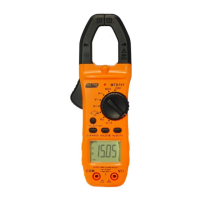
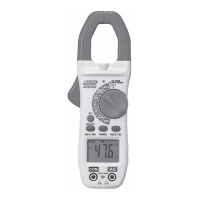
Identifies key components of the clamp meter, including NCV test, clamp trigger, rotary switch, and display.
Explains the meaning of various icons and symbols displayed on the meter screen.
Details the ranges, resolutions, and accuracy for AC current measurements.
Specifies ranges, resolutions, and accuracy for AC voltage measurements.
Outlines ranges, resolutions, and accuracy for DC voltage measurements.
Lists specifications for resistance measurements, including auto-ranging.
Explains testing conditions and expected readings for diode and continuity functions.
Step-by-step guide on how to perform AC current measurements using the clamp meter.
Instructions for connecting leads and setting the function for AC voltage measurements.
Steps to perform DC voltage measurements using the meter.
Details how to measure resistance, including probe placement and circuit isolation.
Guide for performing continuity tests, including selecting the function and interpreting results.
Instructions for testing diodes, including polarity reversal and interpreting readings.
Procedure for detecting AC voltage without contact.
How to freeze and recall readings on the LCD display.
Instructions for activating the flashlight and backlight for better visibility.
Explanation of how to use manual and auto-ranging modes.
Details the auto power-off feature and how to cancel it.
Guidelines for cleaning the meter and proper storage procedures.
Steps for replacing the meter's batteries.
 General
| Continuity | Yes |
|---|---|
| Diode Test | Yes |
| Battery Test | 1.5V/9V |
| Battery Type | 9V battery |
| Display Type | LCD |
| AC Voltage | 600V |
| DC Current | 10A |
| Measurement Range | As per individual functions |

 To Next Page