EasyManua.ls Logo

Major tech MT900 - User Manual

Major tech MT900
16 pages
Print Icon
To Next Page IconTo Next Page
Loading...
INSTRUCTION MANUAL
CABLE LENGTH METER
MT900
Question and Answer IconNeed help?

Do you have a question about the Major tech MT900 and is the answer not in the manual?

Summary

INTRODUCTION

Features

Key capabilities and advantages of the MT900 cable length meter.

Accessories

Instrument Parts

OPERATING INSTRUCTIONS

Battery Management

Procedures for inserting, replacing, and handling batteries for the device.

Device Power and Menu Navigation

How to turn the device on/off and navigate its main menus.

Cable Measurement

Accessing Cable Measurement Modes

Steps to select network or coaxial cable measurement modes.

V.O.P. Configuration and Measurement

Cable Library V.O.P. Management

Cable Database Selection

Navigating and choosing specific cable types from the device's library.

Measurement and Storage of V.O.P. Values

Detecting V.O.P. from a Known Cable

Procedure to measure V.O.P. using a cable of known length.

V.O.P. TEST Interface Operations

Storing Measurement Data

Saving measurement results, names, types, and impedance values.

Cable Type and Impedance Configuration

Setting specific cable types and impedance for measurements.

Edit and Storage of V.O.P. Values

History Function

Accessing and viewing past measurement records stored on the device.

System Settings

Unit, Time, and Date Configuration

Setting measurement units, time, and date on the device.

Auto Power Off and Measurement Conditions

General Specifications

Overview

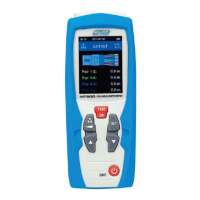
The Major Tech MT900 is a precision cable length meter that utilizes Time Domain Reflectometer (TDR) technology to accurately measure cable length. This versatile instrument is designed for use with any cable comprising at least two insulated metallic elements, one of which can be the cable's sheath or shield. It incorporates automatic internal matching networks, enabling testing with automatic range selection suitable for power, telephone, CAT V, and LAN cables, among others. The MT900 allows for close matching to the cable under test through its function selection keys, and its Velocity of Propagation (V.O.P.) value can be adjusted to match the specific cable, ensuring precise distance measurements.

Function Description

The primary function of the MT900 is to measure cable length using TDR technology. It can be used for various cable types, including coaxial and network cables. The device offers a user-friendly interface with a 2.4-inch TFT color screen, making it easy to navigate through its menus and settings.

Usage Features

  • Cable Measurement:

    • Connecting Cables: To measure, connect the cable to the appropriate socket on the MT900. Network cables connect to the RJ-45 socket, while coaxial cables connect to the BNC socket.
    • Entering Measurement Mode: There are two ways to enter the cable measuring interface. The first is through the default boot interface, which is network cable measurement. From there, you can press the appropriate button to select network cable, coaxial cable, or single-wire cable measurement. The second method involves entering the functions menu, selecting "Cable Test," and then choosing the desired cable measurement mode (Coaxial Cable or Data Cable).
    • V.O.P. Selection and Adjustment: Before measurement, you can select the V.O.P. of the network to be tested from a built-in library of 20 standard cable V.O.P. values or adjust the current V.O.P. slightly. To select from the library, navigate to the V.O.P. library, choose the corresponding network cable, and confirm the setting. To adjust the V.O.P. manually, press and hold the "TEST OK" button until the V.O.P. value is highlighted, then use the up/down buttons to increase or decrease the value, and confirm.
    • Performing Measurement: Once the V.O.P. is set, press the "TEST OK" button to initiate the measurement. The LCD will then display the length of the cable. The "EXIT" button can be used to clear the measurement.
  • V.O.P. Measurement and Storage:

    • For cables with unknown V.O.P., the MT900 can detect the V.O.P. using a known length of cable (greater than 10 meters).
    • Insert the known length cable into the instrument.
    • Access the functions menu, select "Velocity of propagation," then "VOP Test."
    • In the V.O.P. TEST interface, press the "SET" button to make the length display editable.
    • Adjust the displayed length to match the actual known length of the cable using the up/down buttons, then press "TEST OK" to measure the V.O.P. of the cable.
    • Name Storage: The measured V.O.P. can be stored with a custom name (up to 6 characters). Navigate to the name storage option, select characters using the up/down buttons (characters change from 9-0 or A-Z), and press "SET" to store each character. "TEST OK" can be used to clear a selected character or move backward. Finally, press "TEST OK" to complete the name storage.
    • Cable Type Selection: After name storage, you can select the cable type (data, coaxial, single-wire) from a menu.
    • Manufacturer Information Storage: Similar to name storage, manufacturer information can be stored.
    • Cable Impedance Type Selection: Select the impedance type (51Ω, 75Ω, or 100Ω) from the menu.
    • After completing these steps, press "TEST OK" to finalize the measurement and storage of the V.O.P. value.
  • V.O.P. Value Editing and Storage:

    • If the V.O.P. of a cable is already known, it can be stored directly.
    • From the functions menu, select "Velocity of propagation," then "VOP Set." This will lead to the V.O.P. Edit interface.
    • Here, you can input the known V.O.P. value, name, type, producer, and impedance. The process for entering these details is similar to the name storage steps described above.
  • History:

    • The MT900 can store up to 99 internal memory locations for traces, allowing for future analysis.
    • To access stored data, go to the functions menu and select "History." This will display a list of stored measurements.
  • System Settings:

    • The system settings allow customization of various parameters. Access this menu from the functions menu by selecting "Setting."
    • Unit Setting: Choose between feet (ft) or meters (m) for measurement units.
    • Time Setting: Adjust the current time (hour and minutes).
    • Date Setting: Set the current date (year, month, and day).
    • Auto Power Off Time: Configure the automatic power-off time (e.g., 10 minutes) to conserve battery life.

Maintenance Features

  • Battery Management:

    • The MT900 uses 2 x 1.5V AA LR6 alkaline batteries.
    • To insert or replace batteries, remove the battery compartment lid, insert batteries according to the polarity marks, and close the lid.
    • Replace batteries when the battery symbol on the display flashes red.
    • Always use alkaline batteries.
    • Remove batteries if the instrument will not be used for an extended period to prevent corrosion.
  • Auto-Zero and Auto Range: The device features Auto-Zero and Auto Range capabilities, along with auto-adjust sensitivity, which helps in measuring various cables accurately without extensive manual calibration.

  • High Accuracy and Fast Reflection: These features contribute to reliable and efficient measurements, reducing the need for repeated tests.

  • User-Friendly Menu: The intuitive menu system simplifies operation, minimizing the learning curve and potential for user error.

  • Memory Locations: The ability to store 99 traces allows for easy recall and analysis of past measurements, aiding in troubleshooting and record-keeping.

Major tech MT900 Specifications

General IconGeneral
ContinuityYes
Diode TestYes
Operating Temperature0°C to 40°C
Storage Temperature-10°C to 50°C
DC Current10A
AC Current400μA/4000μA/40mA/400mA/10A
DisplayLCD

Related product manuals