User Instructions
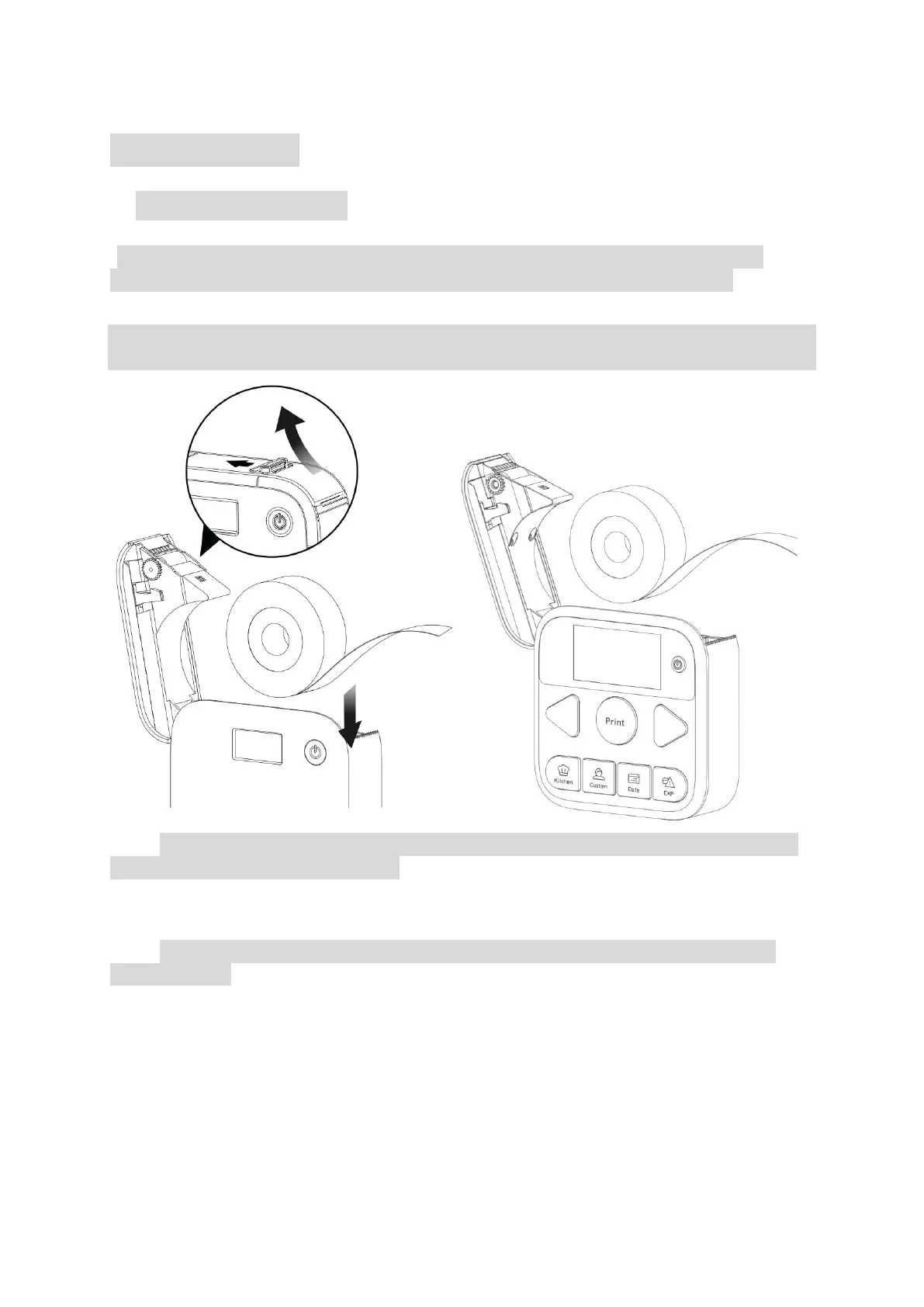
1. Label Roll Installation
*This printer can only print die-cut labels. Please ensure that you use official MakeID
labels, otherwise the printer may be damaged or abnormal printing might occur.
Step1.
Push the Cover-Open button open and put in the label roll as in the direction shown in the
figure with the printable side facing down.
Step2. When using a new label roll, pull the transparent leading label out of the Label Exit. The
transparent leading label is unprintable.
Step3. Shut the cover after the label roll is correctly placed. Tear off the transparent leading
label before use.


 To Next Page