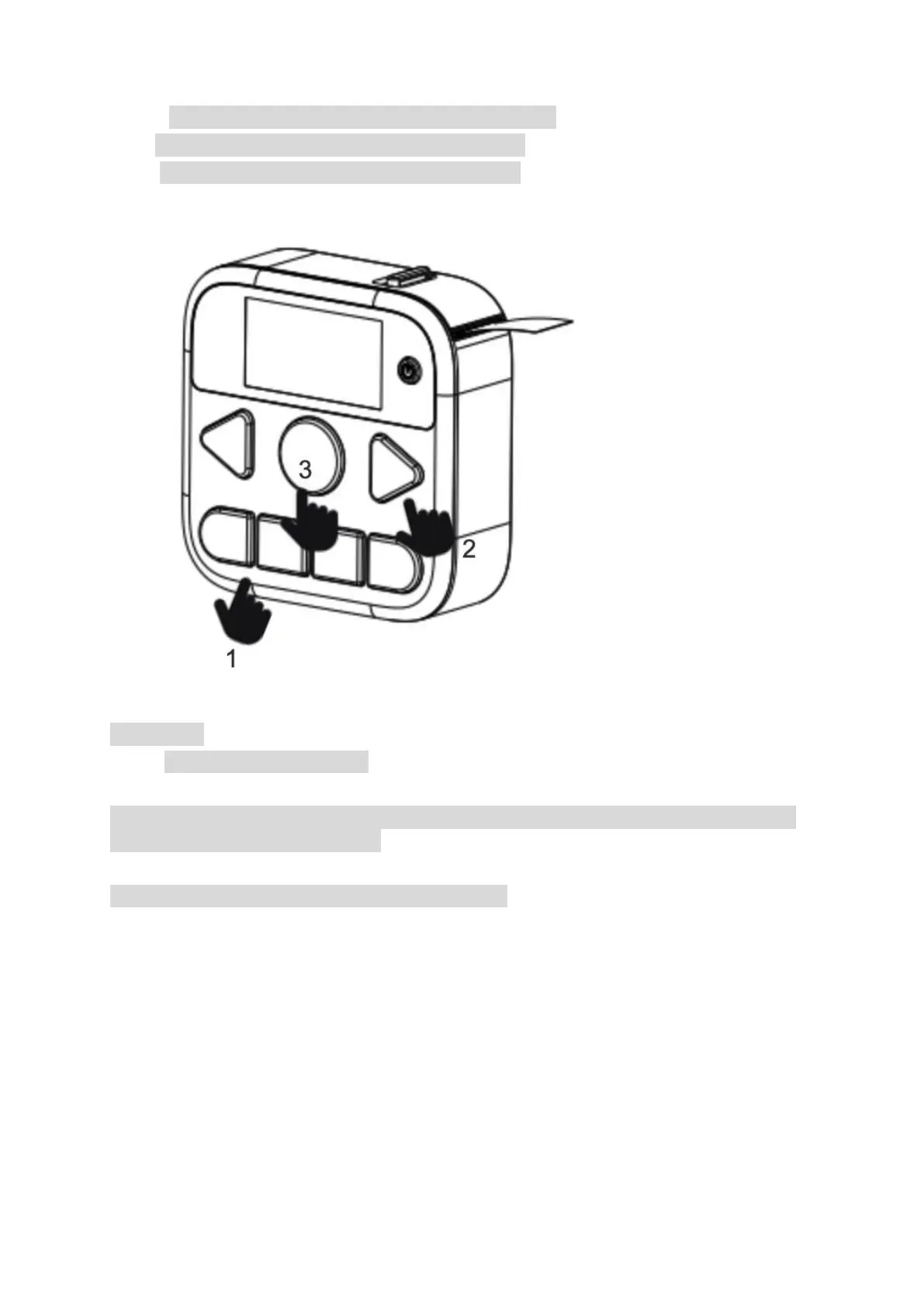
Step1. 1
st
, click on the Kitchen button or the Custom button.
Step2. 2
nd
, click on the Selection button to select the text.
Step3. 3
rd
, click on the Print button to print out the label.
Date button
Step1. 1
st
, click on the Date button,
Step2.
2
nd
, you may select the date of 30 days before or after by clicking on the Selection button. The
default date is the current date’s day.
Step3.
3
rd
, click on the Print button to print out the date label.


 To Next Page