15
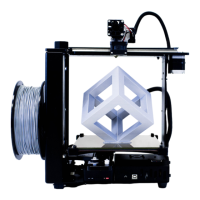
What's The Function?
6 Position Electronics Connector Brings power to your M2.
10 mm Linear Rods Guide your bed up & down.
40 mm Fan Cools your filament drive.
50 mm Fan Helps solidify printed layers (as needed).
Extruder Wire Mount Houses wiring for the extruder.
Filament Drive Pulls filament into your extruder.
Filament Guide Guides your filament from spool to guide tube.
Heated Build Platform (HBP) Controls glass bed temperature.
Manual Reset Button Stops all current M2 operations.
SD Card Reader Slot Retrieves stored command info.
Spool Holder Keeps your filament spool secure during printing.
USB Port Receives command info.
X-Axis Belt Keeps your extruder in-sync with your X-motor.
X-Axis Limit Switch Sets "home" position for X-axis motion.
X-Axis Rail Guides your extruder during side-to-side movement.
Y-Axis Belt Keeps your bed in-sync with your Y-motor.
Y-Axis Limit Switch Sets "home" position for Y-axis motion.
Y-Axis Rail Guides your bed during front-to-back movement.
Z-Axis Leadscrew Rotates to move bed up & down.
Z-Axis Limit Switch Sets "home" position for Z-axis motion.
Z-Fine Adjust Knob For last-minute changes to the distance
between your nozzle & bed.
Simple explanations of M2 Features.


 To Next Page