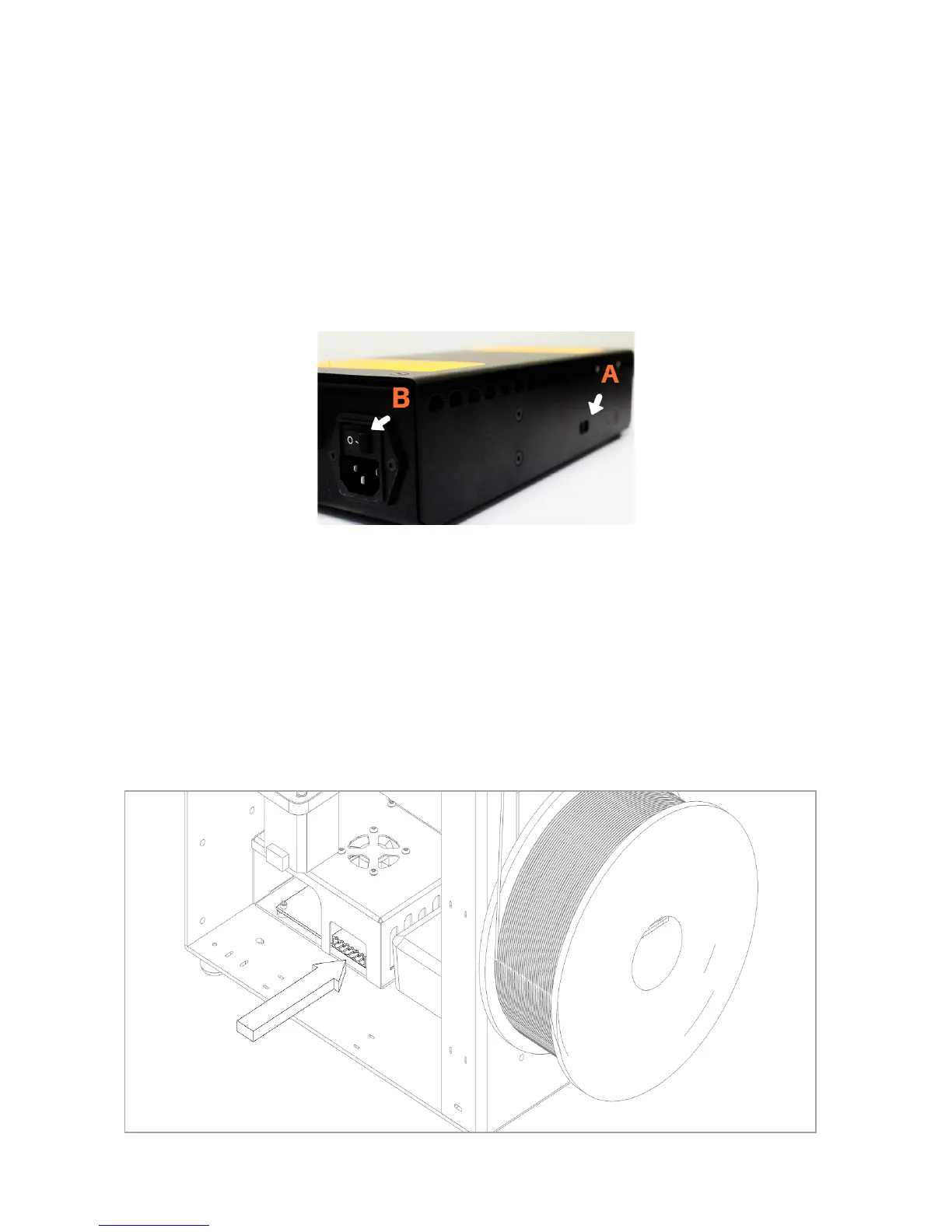
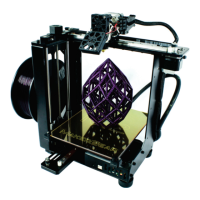
7. Insert the 6-Position Power Supply Connector into the 6-Position
Electronics Connector, making sure that it is SECURELY IN PLACE in the
electronics case. Connect the power supply cord to the power supply. Next,
plug the power supply into a wall outlet and ip the switch (B) to the on
position.
6
6. Unpack the power supply and set the voltage switch (A) to the voltage
supplied through your outlet. There are only two settings: 115 V (for 100–
130 V) and 230 V (for 220–240 V). To nd the standard voltage level for
your country, visit
www.worldstandards.eu/electricity/plug-voltage-by-country/


 To Next Page