Visit our YouTube channel, MakerGear, for step-by-step instructions on
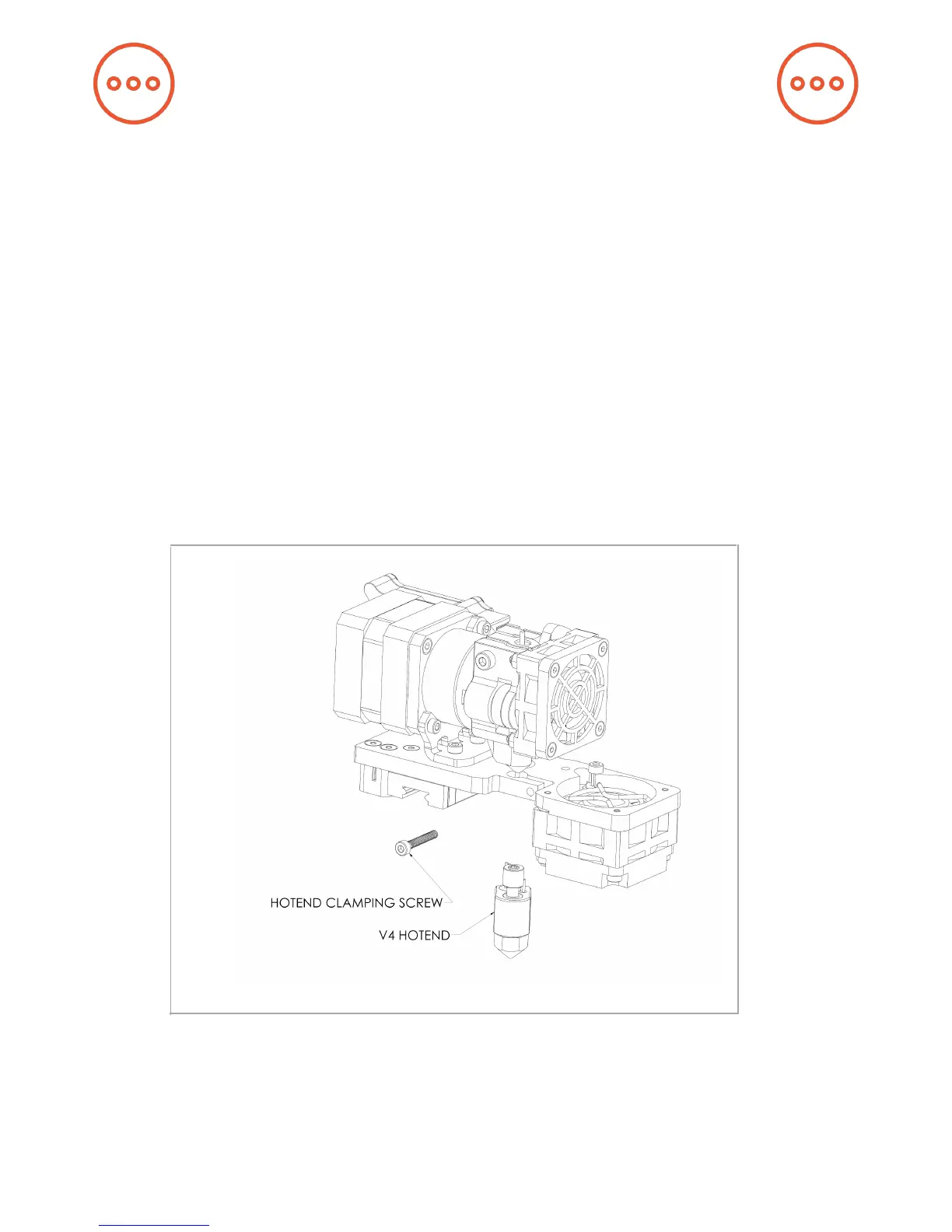
how to remove the V4 hot end and remove/mount a nozzle.
If you wish to remove or change your nozzle, you must rst remove the
entire hot end. Attempting to unscrew the nozzle directly from your M3
will damage the hot end.
Some of our users choose to print with nozzles that are either larger or
smaller than the 0.35 mm nozzle included on the M3 in order to
accommodate specic printing needs. If you plan to print with different-
sized nozzles, we recommend keeping each nozzle installed in a separate
hot end, as this allows you to switch between nozzles more easily.
7
A Note About Nozzles


 To Next Page