EasyManua.ls Logo

Makita XRU18 - User Manual

Makita XRU18
36 pages
Print Icon
To Next Page IconTo Next Page
Loading...
INSTRUCTION MANUAL
MANUAL DE INSTRUCCIONES
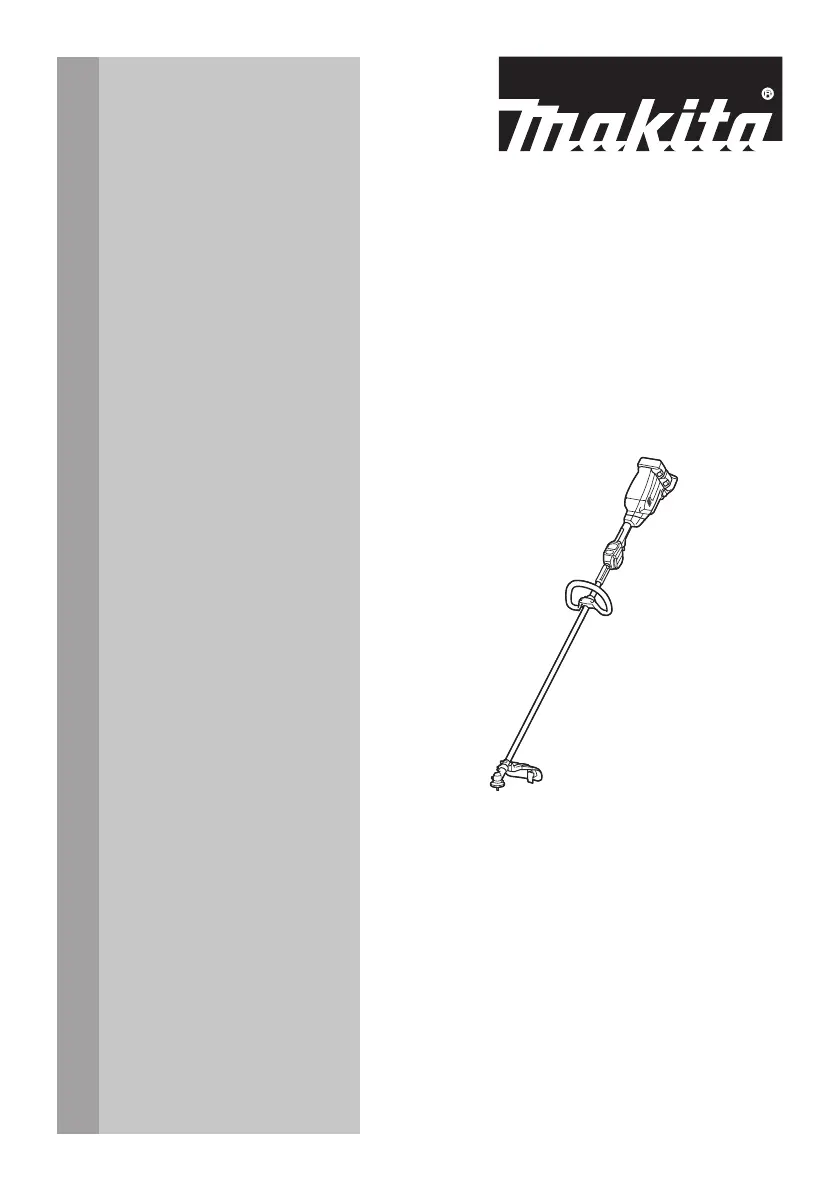
Cordless Grass Trimmer
Cortador Inalámbrico de Pasto
XRU18
IMPORTANT: Read Before Using.
IMPORTANTE: Lea antes de usar.

Questions and Answers

  • S
    ssinghJul 28, 2025
    What to do if the Makita XRU18 Trimmer motor does not run?
    • E
      Eric PetersJul 29, 2025
      If the Makita Trimmer motor isn't running, there could be several reasons. First, ensure the battery cartridge is properly installed. If it is, the battery might be the issue; try recharging it or replacing it if recharging doesn't work. If neither of these steps resolves the issue, the drive system may not be working correctly.
  • B
    Bryan MyersAug 2, 2025
    Why does my Makita XRU18 motor stop running after a little use?
    • J
      jeffreyortizAug 2, 2025
      If your Makita Trimmer motor stops after a short period, it could be due to a low battery charge. Try recharging the battery cartridge, and if that doesn't help, consider replacing it. Another possibility is overheating; in this case, stop using the tool and allow it to cool down.
  • M
    Mr. Stuart WoodardAug 7, 2025
    What to do if my Makita XRU18 Trimmer cutting tool does not rotate: stop the machine immediately?
    • S
      Shelby HoltAug 8, 2025
      If the cutting tool of your Makita Trimmer isn't rotating, immediately stop the machine. Check for any foreign objects, like a branch, jammed between the guard and the cutting tool and remove it. Also, ensure the cutting tool is securely tightened.
  • C
    Christopher SimmonsAug 12, 2025
    Why doesn't my Makita XRU18 Trimmer reach maximum RPM?
    • E
      emilyryanAug 13, 2025
      If your Makita Trimmer isn't reaching its maximum RPM, it might be due to a few reasons. First, make sure the battery cartridge is correctly installed. If the battery power is dropping, recharge the battery cartridge, and replace it if recharging isn't effective. If the issue persists, the drive system may not be working correctly.
  • H
    Heather RodriguezAug 17, 2025
    What to do if Makita XRU18 Trimmer cutting tool and motor cannot stop: Remove the battery immediately?
    • C
      Cheryl HowellAug 18, 2025
      If the cutting tool and motor of your Makita Trimmer won't stop, immediately remove the battery cartridge. This could indicate an electric or electronic malfunction.
  • L
    Lauren JenkinsAug 22, 2025
    Why is my Makita Trimmer vibrating abnormally: stop the machine immediately?
    • H
      Heather MccoyAug 22, 2025
      If your Makita Trimmer is vibrating abnormally, stop the machine immediately. The cutting tool might be broken, bent, or worn, requiring a replacement. Also, ensure the cutting tool is securely tightened.

Summary

SPECIFICATIONS

Applicable battery cartridge, battery adapter and charger

Lists compatible Makita battery cartridges, adapters, and chargers for the tool.

SAFETY WARNINGS

Important safety instructions

General precautions to reduce risk of fire, electric shock, and personal injury.

General instructions

Rules for safe operation, including user condition and preventing accidental starts.

Personal protective equipment

Details on necessary PPE like helmets, gloves, eye protection, and hearing protection.

Electrical and battery safety

Guidelines for safe use of electrical components and battery cartridges.

Important safety instructions for battery cartridge

Specific safety measures for handling, charging, and storing battery cartridges.

Intended use of the tool

Starting up the tool

Method of operation

Provides instructions on how to safely and effectively operate the tool.

Maintenance instructions

Tips for maintaining maximum battery life

Advice on how to charge and store batteries to maximize their lifespan.

PARTS DESCRIPTION

FUNCTIONAL DESCRIPTION

Installing or removing battery cartridge

Step-by-step guide for inserting and removing the battery cartridge.

Tool; battery protection system

Explanation of the system that automatically cuts power to protect tool and battery.

Overload, Overheat, and Overdischarge Protection

Details on how the tool protects itself and the battery from operational hazards.

Indicating the remaining battery capacity

How to check the remaining charge level on the battery cartridge.

Main power switch and speed adjusting

Instructions on operating the main power switch and adjusting the tool's speed.

Switch action

Description of the switch trigger and lock-off lever mechanism for safe operation.

Automatic Torque Drive Technology

Explanation of the ADT feature that optimizes rotation speed and torque.

Reverse button for debris removal

How to use the reverse rotation function for clearing entangled debris.

Electric brake

Information about the electric brake system that stops the cutting tool.

Electronic function

Details on electronic features like constant speed control and soft start.

ASSEMBLY

Installing the handle

Steps for attaching and securing the handle assembly to the tool.

Correct combination of cutting tool and protector

Guidance on using the correct cutting tool with its designated protector for safety.

Hex wrench storage

Instructions on where to store the hex wrench to prevent loss or injury.

Installing the protector

Procedure for attaching the safety protector to the tool.

Installing the cutting tool

Steps for securely attaching the cutting tool using the provided wrench.

Nylon cutting head

Instructions for installing the nylon cutting head onto the spindle.

OPERATION

Correct handling of the tool

Essential guidelines for safely holding and maneuvering the tool during use.

MAINTENANCE

Cleaning the tool

Methods for cleaning the tool to maintain performance and prevent overheating.

Replacing the nylon cord

Instructions on how to replace the nylon cutting line and associated safety.

TROUBLESHOOTING

OPTIONAL ACCESSORIES

MAKITA LIMITED WARRANTY

Makita XRU18 Specifications

General IconGeneral
BrandMakita
ModelXRU18
CategoryTrimmer
LanguageEnglish

Related product manuals