33
4 CONFIGURATION AND OPERATION
4.1 Power-on Checking
1) Checks before Power-on
Please check the following items prior to initial Power-on:
• Conrm the charger is installed properly.
• No components or other items have been left on the top of the charger.
2) Power-on status checking
Power-on the charger, the LED indicator should be in standby status.
State Description LED Status
Standby Power-on, but no gun plug-in
Flashing green, 1 second
on; 3 seconds off
Ready to charge
Gun plugged in, but not yet
started charging
Constantly yellow
Charging in progress
Gun plugged in, charging in pro-
gress
Pulsating green, 1 second
on; 1 second off
Fault has occurred
An error has occurred; See Section
6 (Troubleshooting) for details
Flashing red or
constantly red
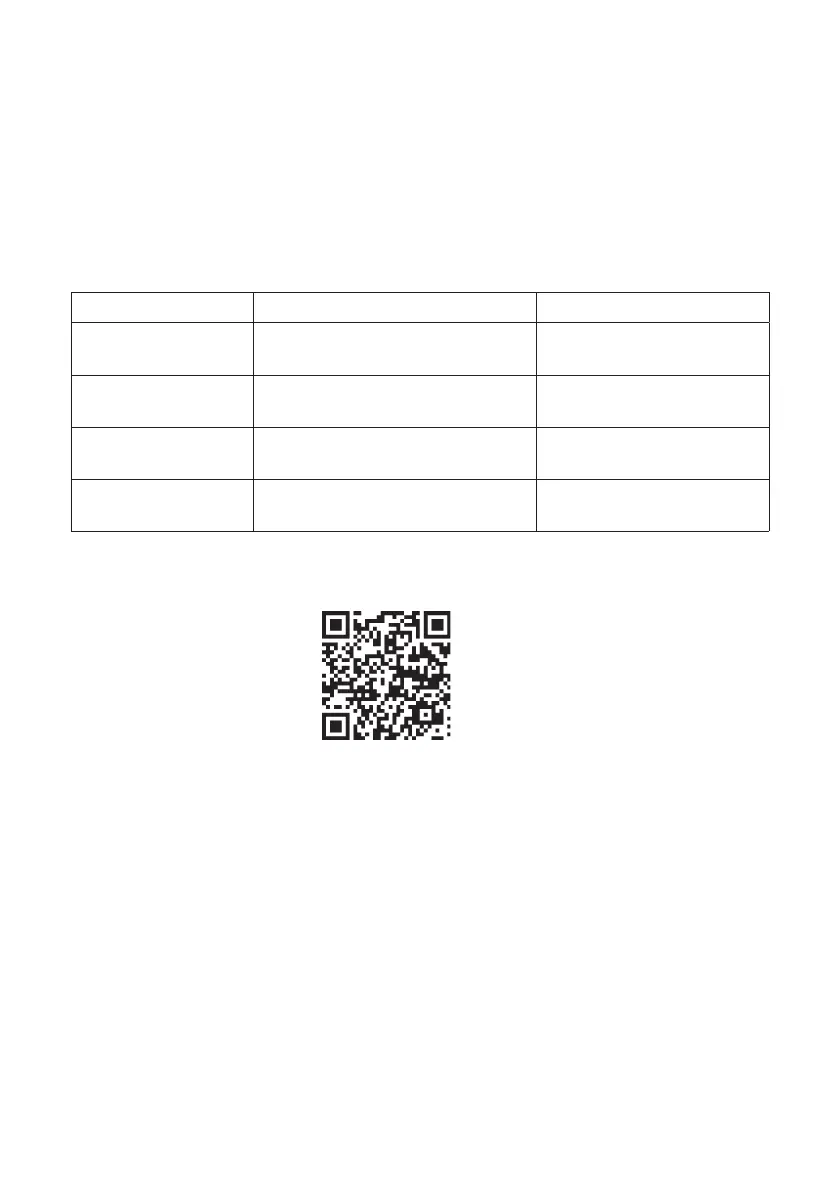
3) Congure to internet
1. Download ChargeIn APP in APP Store/Google Play or scan the QR code.
4.2 Charging Operation
1) Connect the charger to electric vehicle
1. Plug the charging connector into the electric vehicle.
2. After plug-in, please check the connector is connected correctly and tightly.
3. When the connection is correctly established, the charger’s LED indicator will be a
ashing yellow light, which indicates that the charger is ready for charging.
2) Start charging & stop charging
1. By RFID card: Using the RFID card to identify on the card reader.
2. Plug & Play mode: After plug in connector, will begin charging, and will stop charg-
ing after plug out connector from car side.
3. By APP: Press ‘Start’ will begin charging, press ‘Stop’ will stop charging.
2. Follow the steps in the ChargeIn manual to congure the charger to the app.



 To Next Page