4
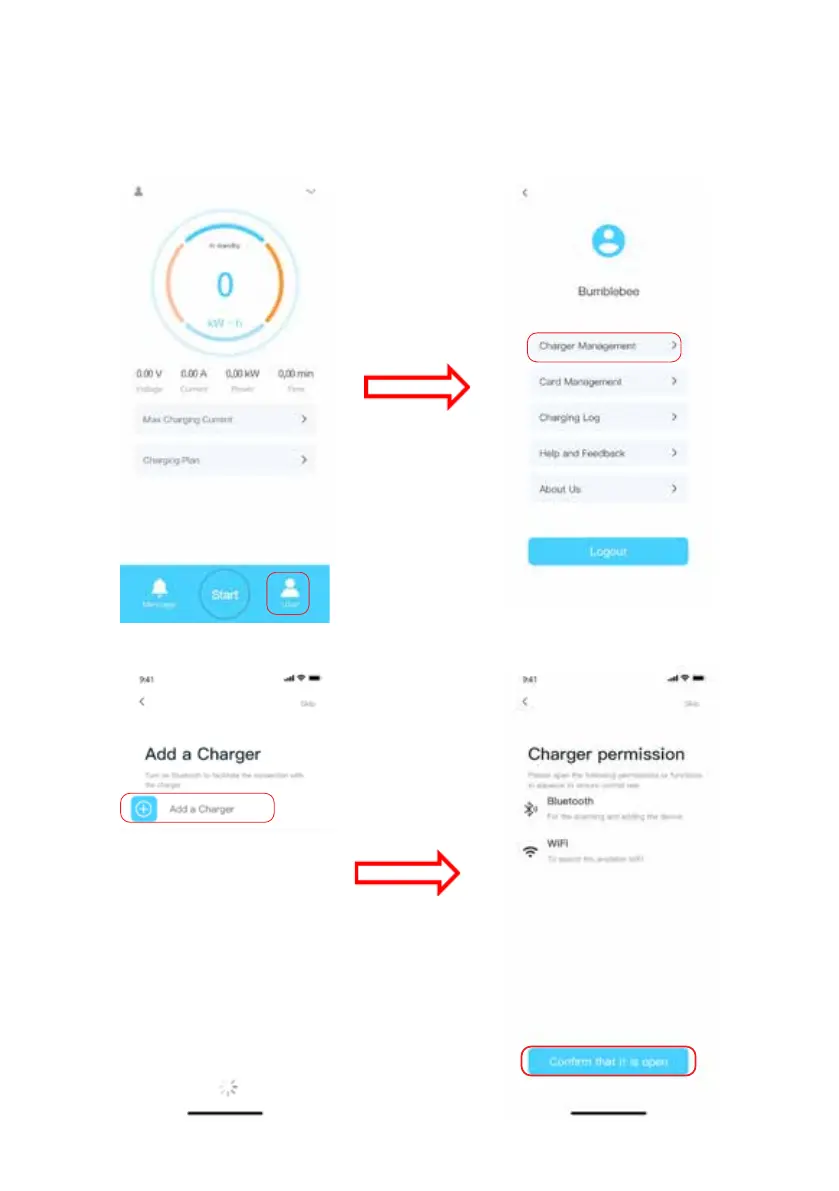
4) Add the charger to your account
In this step, connect your charger to internet via your WiFi.
Note: In the step of charger network connection, ChargeIn communicates with the
charger through Bluetooth. After network conguration, the charger will shut down
Bluetooth. Please enable Bluetooth on your phone.



 To Next Page