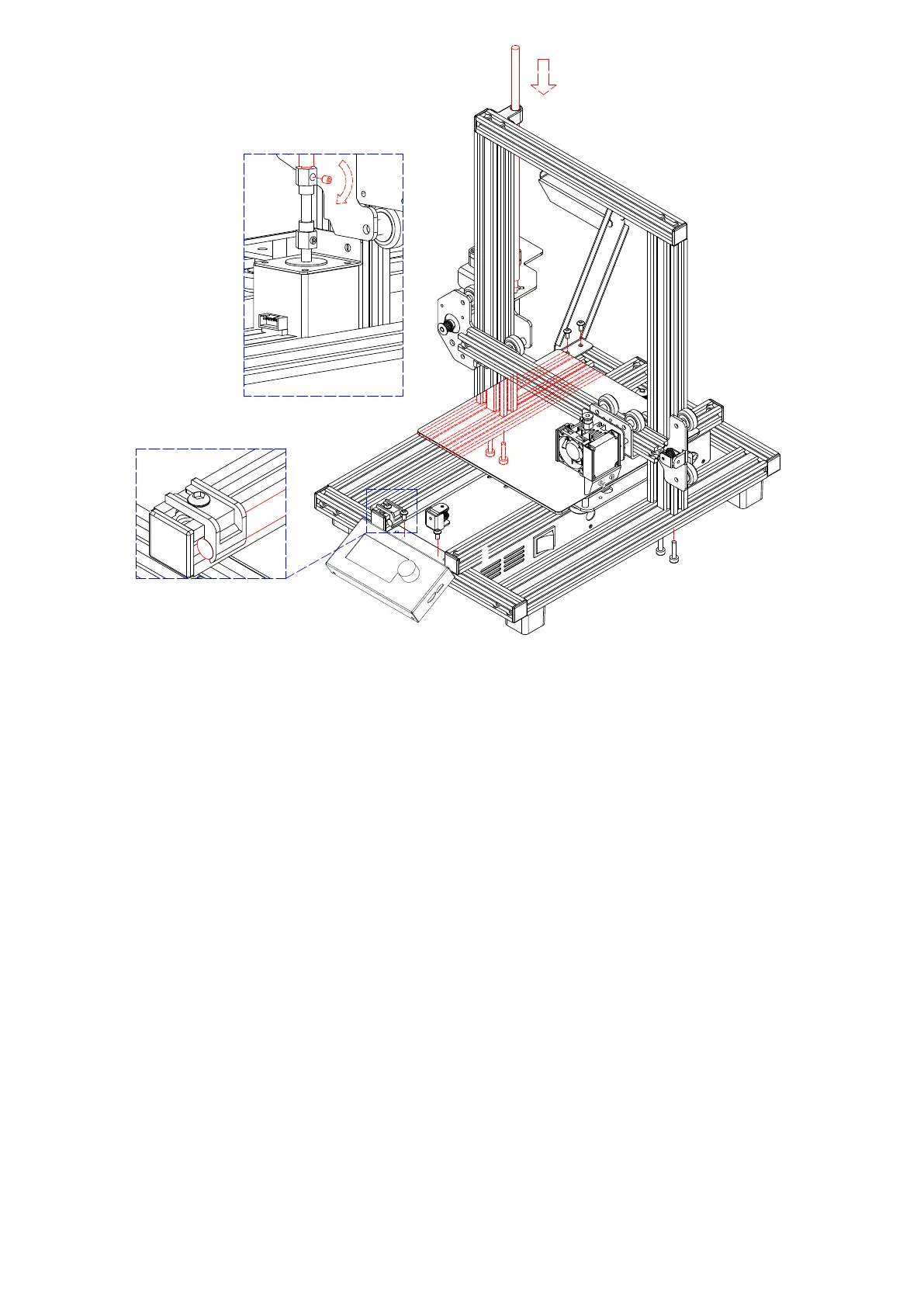
All instructions assume you are looking at the front of the printer during
assembly.
1. Use the packaging material to lay the printer on its side so that you can
see the holes on the bottom. Position the vertical portion of the frame
opposite the holes in the bottom, align the holes on the bottom of the
vertical frame with those on the horizontal frame, then use the included
2.5mm hex wrench and 4x M5x20 screws to secure the vertical frame
to the horizontal frame (2 screws on each side).
2. Place the printer on its feet so that you have access to both sides.
The Z Axis Lead Screw is stored inside the Left Y Axis Carriage Bar
and is secured in place using two plastic brackets. Use the 2.5mm hex
wrench to remove the plastic brackets. You will need to move the bed
backward to access the rear most bracket. Remove the Z Axis Lead
INSTALLATION
07
1
1
2
3
5
6
4



 To Next Page