After- all wiring
is
completed between the
master unit and the MCD6, connect the
poww
cord
from
the
TEZD
transformer to
&I
&I
T ROUBLESHOOTING
the
power
connector on the MCD6. DO
ry
x5
NOT PLUG POWER CORD IN
j-$
BACKWARDS. Connect the power to
v
the master unit as described in the finish-out
Wrong! Right!
instructions for your master unit.
Figure 4
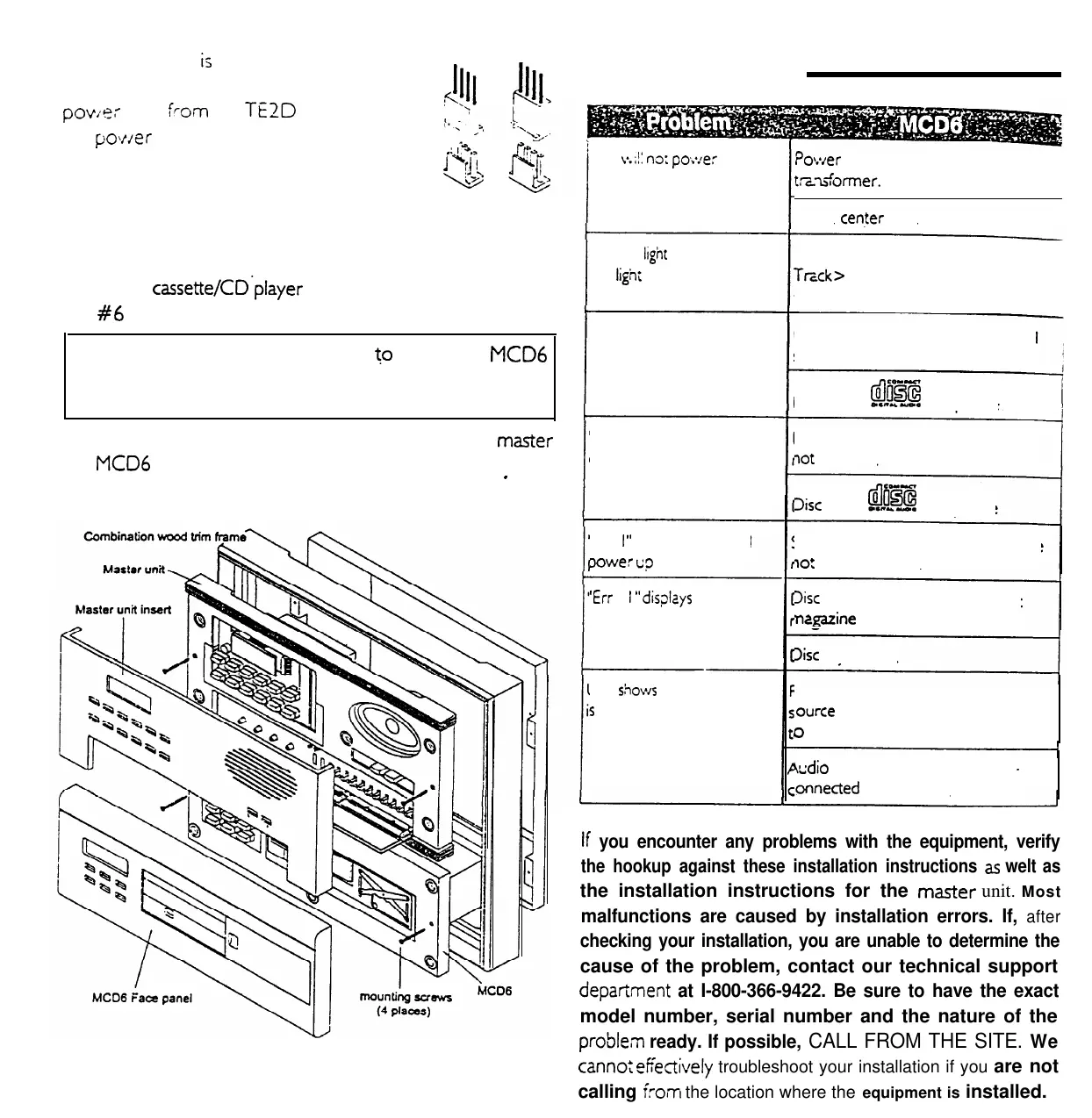
Mount the
cassette/CD*player
to the wall housing using the
two
#6
screws provided.
Unit
v.;!:
n3;
po;*:e:
up’
?ower
not
supplied to wall
housing
tzz_x$ormer.
Open
center
tap
on transformer
Display
ltght
for display does
not
light
up
Display light is turned off. Press
Trcck> and Mode at the same time
to turn on
“Err
07”
displays on initial
play of selected disc
Note: A wood trim ring is required
to
mount the
MC06
model for both single and combination wallhousing
applications.
Follow the operating procedures included
with your
marter
and
MC06
to assure your installation is correct,
After system
.
operation is confirmed, install the face panel insert.
“Err
07” displays during play
of the currently selected
disc
‘Err 0
I
”
displays on initial
Dower
u?
‘Err 0
I
”
dis?kys
Jnit
S:~OWS
piay but nothing
s
heard
Disc is inserted upside down. Label
should be up.
Disc is not
%!a
compatible
Disc is scratched, dirty or otherwise
7ot
readable
3isc
is not
@!!!
compatible
Shipping screws on mechanism have
IO:
been removed
3sc
improperly inserted into disc
ncgazine
3isc
is jammed.
Ldio-intercom master unit is not
ource
selected properly.
Set source
o
AUX mode.
+ddio
cables are not properly
+
onnected
or defective.
If
you encounter any problems with the equipment, verify
the hookup against these installation instructions
as
welt as
the installation instructions for the
master
unit. Most
malfunctions are caused by installation errors. If,
after
checking your installation, you are unable to determine the
cause of the problem, contact our technical support
depafiment
at I-800-366-9422. Be sure to have the exact
model number, serial number and the nature of the
proble;n
ready. If possible, CALL FROM THE SITE. We
cannot
ektively
troubleshoot your installation if you are not
calling iron the location where the equipment is installed.
SYSTEMS, INC.
A
l oa?cR
CoYC**v
115824
Rev-
M&S
sm::j
~-YEA).
‘h!O
FAULV
IJM~
WMJUW
M&S
+zems. Inc.
wara~ts
fcv
~.t’o
)~LY
(2)
2:.
zc:---
~3ry
pc&ck
t:,
x
free
of
haorp:auseC
lefeects in
frdznal
and
‘+orlvnaxhip.
M&S
Systems.
kc.
w:ll
regair
or reptace. at
is
o@on.
parts and materials at no charge.
regbleu
of the problem. This v/r,‘?--
_
.,J
Me-tj
to LX
orighl
purcrver
of
the
proc!uci
ar.d
to
each
s&rquent
owner
of
the
+ckt
dkg
me
!c-
of
CIS
wamnty.
Tais
tt0
FAULT
vnmnty
cove
only
t:e
l&W
detikl
abo&dnd
does
not
incke
110’5;
!or
Ir.cidental
cr
conztiential
damages. NOTE: Some states do
cot
al!Ow
tie
exchon
or
limitaloft
0’r:iderd
or CanjquenDJ
&,?*g&
30
LCIe
a*e
limbbon or exclusion
may not
appIy
to you.
SMARTHOME.COM(TM) 1-800-SMART-HOME 949-221-9200 http://www.smarthome.com Order #5076


 To Previous Page
 Loading...