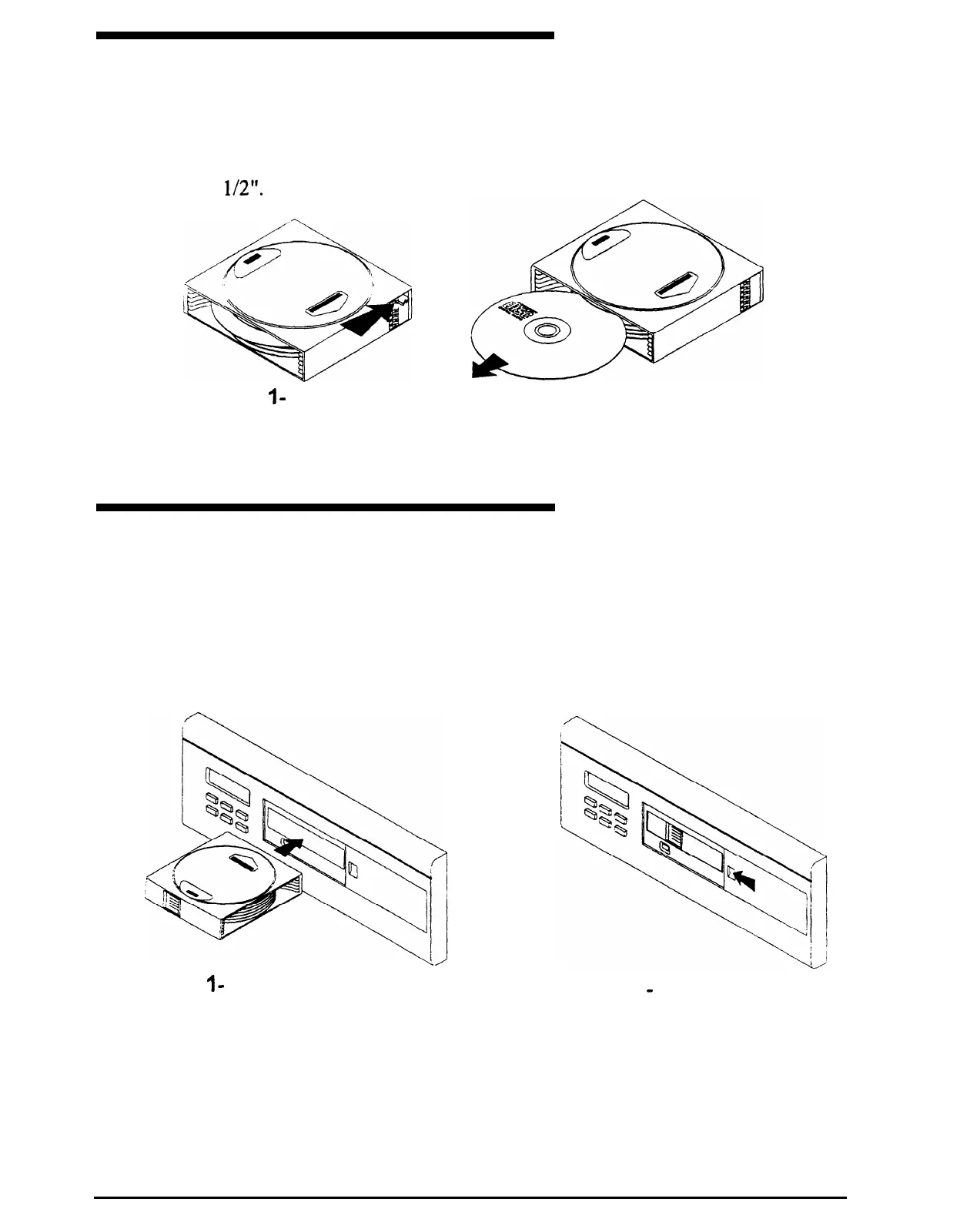
UNLOADING DISCS
A disc can be removed by moving the lever on the side of the disc magazine as shown
below. Moving the lever corresponding to the desired disc will eject the disc by
approximately
l/2”.
The disc can then be fully removed.
STEP
I
- Move lever
corresponding to the disc
to be removed.
STEP
2 - Remove disc from
magazine.
LOADING DISC MAGAZINE
The MCD6 plays discs installed in the disc magazine supplied with it.
magazine, slide the access door all the way to the right. Gently, insert
into the exposed slot oriented as shown below. The access door can now be closed.
To install the disc
the disc magazine
STEP
I
-
Open magazine door and
STEP 2
-
Press the magazine
gently insert the magazine oriented
in until it locks in place. Slide
as shown.
access door closed.
6
SMARTHOME.COM(TM) 1-800-SMART-HOME 949-221-9200 http://www.smarthome.com Order #5076



 To Next Page