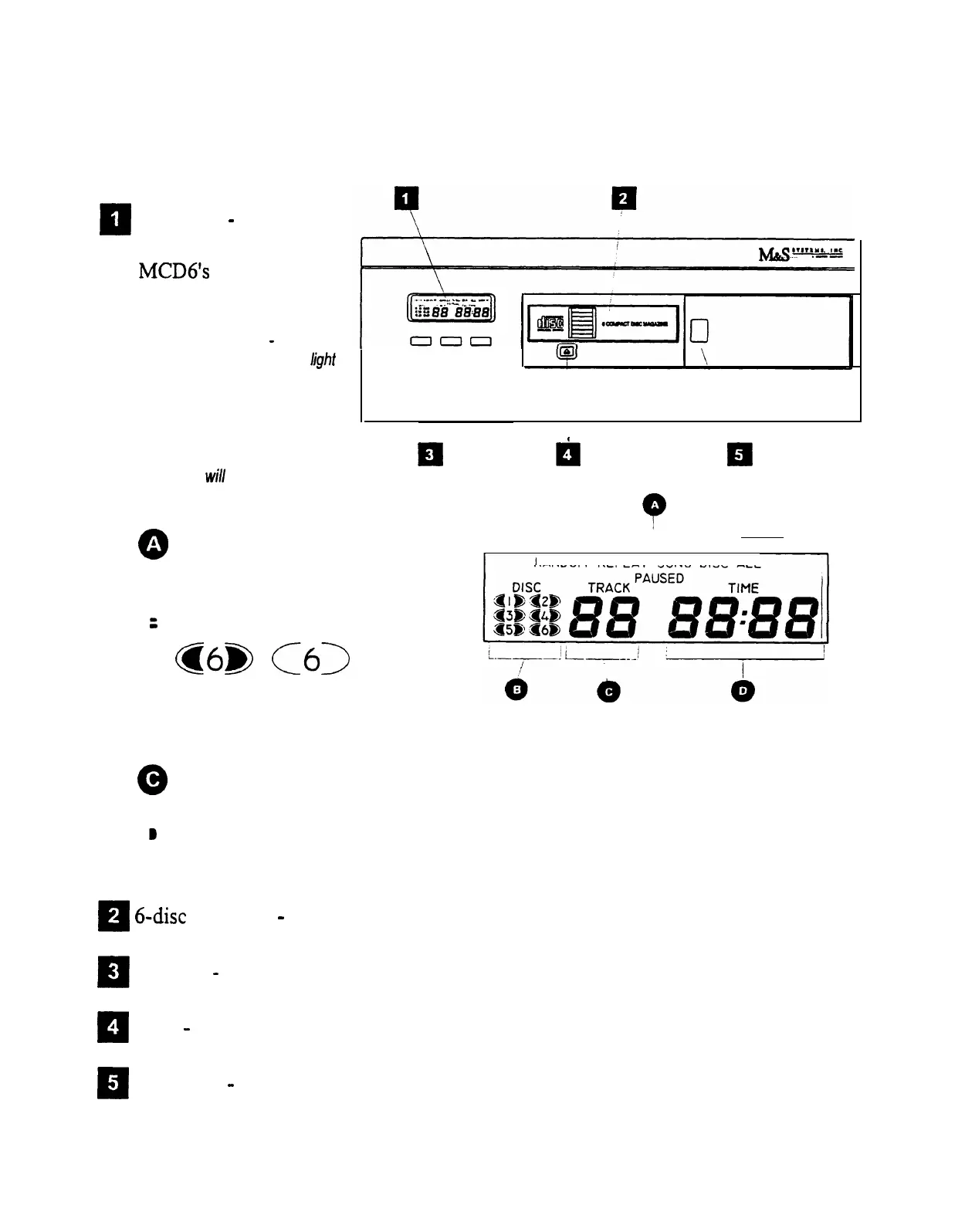
CONTROLS AND FEATURES
The illustration below shows the controls and features you use to operate the Model
MCD6.
El
Display
-
Provides
visual indication of the
MCD6’s
status and
operational settings.
Display light control
-
If you do
not wish to have the display
light
come on, you may disable it by
pressing Track up and Mode at
the
same
time and holding for 3
seconds.
Pressing
this
combination of buttons again for
3 seconds will return the display
light to normal operation.
000
Currently
Disc is
selected
installed but
disc not selected
Q
A
Status/operating mode
indicators
0
:
Disc indicators
@6@
01)
EI
Disc is not
installed
(blank)
,
LI
,
RANDOM REPEAT
SONG DISC ALL
MCD6 display legends
0
Track number
0
@
Track elapsed time
R
6-disc
magazine
-
Removable magazine that holds 6 compact discs.
PI
Controls
-
Used to operate and setup the MCD6 compact disc player.
13
4
Eject
-
Button used to eject the disc magazine
R
Door slide
-
Used to access the disc magazine
3
SMARTHOME.COM(TM) 1-800-SMART-HOME 949-221-9200 http://www.smarthome.com Order #5076



 To Next Page