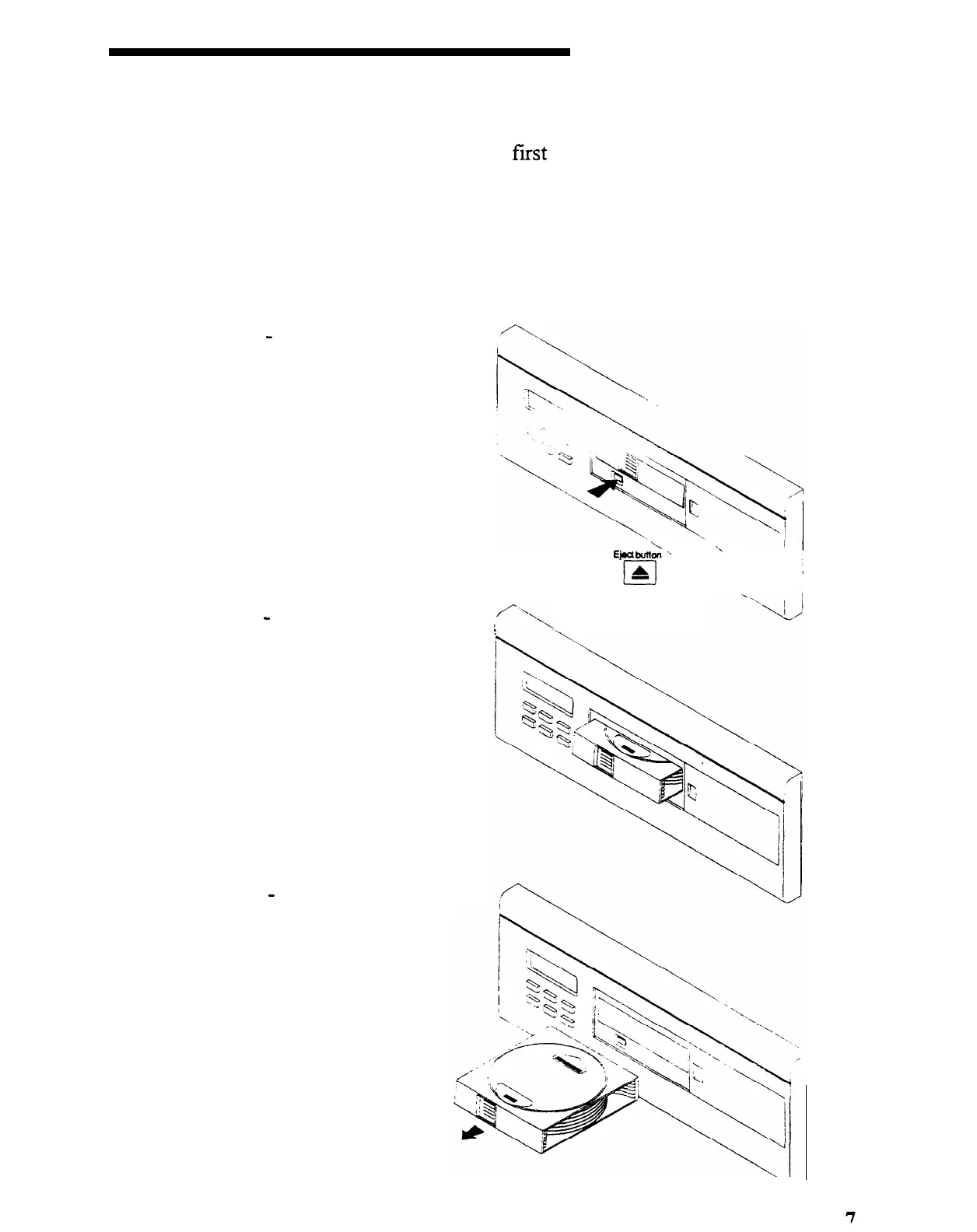
UNLOADING DISC MAGAZINE
Unloading the disc magazine is performed by
fast
sliding the access door to the right.
Next, press the eject button located below the window on the magazine. Pressing this
button will activate the magazine release mechanism. When ejected, the magazine will
extend outward 1”. You may then pull the disc magazine out completely.
STEP 1
-
open magazine door and
press the eject button.
Eject
butt2
\\
‘-
. .
. .
\
STEP 2
-
Wait for the magazine to
,/“\,
extend and stop (approximately 1
’
inch outward).
STEP 3
-
Pull the
from the MCD6 player
the sliding door.
magazine
and close
SMARTHOME.COM(TM) 1-800-SMART-HOME 949-221-9200 http://www.smarthome.com Order #5076



 To Next Page