HANDLING DISCS
Compact discs are optically read plastic discs which require no maintenance. However,
care must be taken to insure the readable surface is not contaminated by dirt, grime
fingerprints, etc. Avoid touching the side opposite the label. This is the side that contains
the digital information read by the
MCD6’s
laser. Compact discs should only be handled
by the outer edges or center hub.
LOADING DISCS
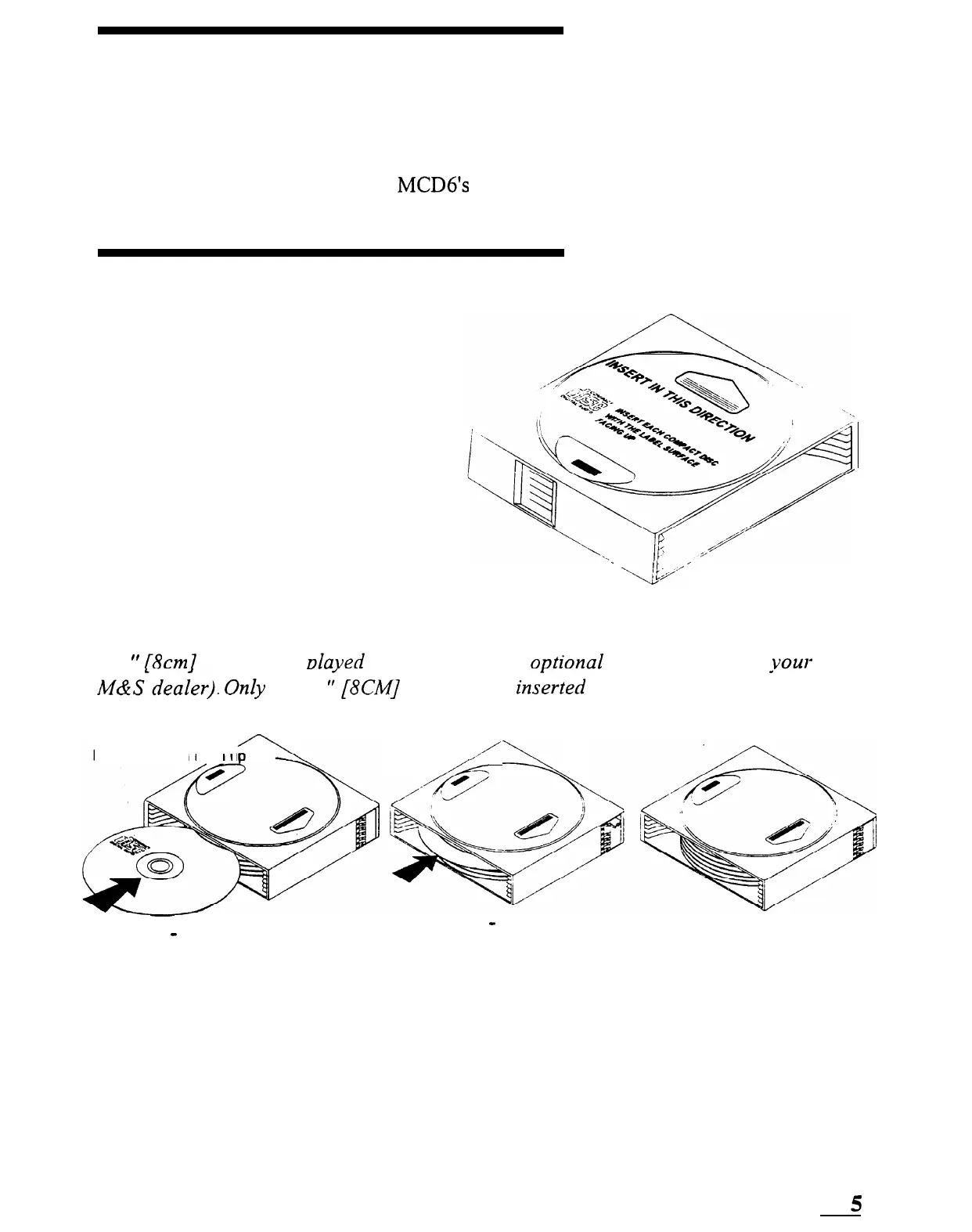
The 6-disc magazine used with the
MCD6 contains 6 slots used to align
each compact disc. These slots are
numbered l-6 starting from the bottom.
The magazine does not have to have a
disc loaded in each slot. The MCD6 will
automatically sense which discs are
installed and will accept play options for
the installed discs only. Each disc must
be installed with the label up as shown
below.
.
L.,__J/’
6-Disc magazine
A 3
It
/8cm7
disc can be
daved
with the use of an
oDtional
adapter. (Contact
L
M&&leaier).
Only
onk 3
‘:[8CM]
disc can be in&-ted
installed in the number one slot only.
Insert disc with
label
u
/4+
\
,-’
into the MCD6 and it must be
STEP 1
-
Insert disc into vacant
slot (label up)
vow
local
STEP 2 - Push disc in
(disc shown fully seated)
until it is fully seated and
flush with the magazine
5
SMARTHOME.COM(TM) 1-800-SMART-HOME 949-221-9200 http://www.smarthome.com Order #5076



 To Next Page