54
Description
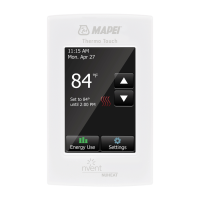
The Mapei Mapeheat Thermo Basic thermostat is a smart electronic
thermostat designed for electrical under floor heating. It is designed to
control your under floor heating in order to give you the best possible
comfort at the lowest possible energy consumption. The Mapeheat Thermo
Basic is equipped with an ambient sensor and a floor sensor and is thus
capable of monitoring and controlling your floor heating cables in 4 different
modes (Room sensing mode / Floor sensing mode / Room sensing mode with
floor limiter / No sensor mode) depending on your needs.
The Mapeheat Thermo Basic will switch on and off your floor heating in
order to obtain the set-temperature. When the Mapeheat Thermo Basic
is switching on the electrical floor heating, the symbol (
) is visible on the
display.
The Mapeheat Thermo Basic is controlling your electrical floor heating in 3
working modes (see Table 1).
Working Mode Description Symbol
Constant Mode
In the Constant Mode, the Mapeheat Thermo
Basic is aiming for 1 temperature only. You can
easily adapt this set temperature by using the
+/- button
Event Mode
In the Event Mode, the thermostat is working
according to a weekly schedule. The Event Mode
is created in order to maximize the comfort
while minimizing the energy consumption of
your electrical floor heating system
Boost Mode
The Boost Mode is a temporary override of
the Constant Mode or the Event Mode. When
activating the Boost Mode, you can choose
a temporary Set temperature and a duration
for the Boost Mode. After this duration, the
Mapeheat Thermo Basic will automatically
switch back to the last used Mode (Constant or
Event)
or



 To Next Page