1312
ENERGY MONITORING
You can display some statistics of the use of the Mapeheat Thermo Basic. In
order to be able to do this, the currency, the load and the cost of energy need
to be filled in. In the energy monitoring menu, you will find:
• Currency (what currency do you use)
• Load (how much electrical heating cable is installed in this room in kW)
• Cost/unit (cost of 1 kWh)
In the energy monitoring menu, you will see the values calculated for the last
2 days, for the last month & for the last year.
USER SETTINGS
TIME AND DATE
With the time and date setting, you can adjust the clock and calendar.
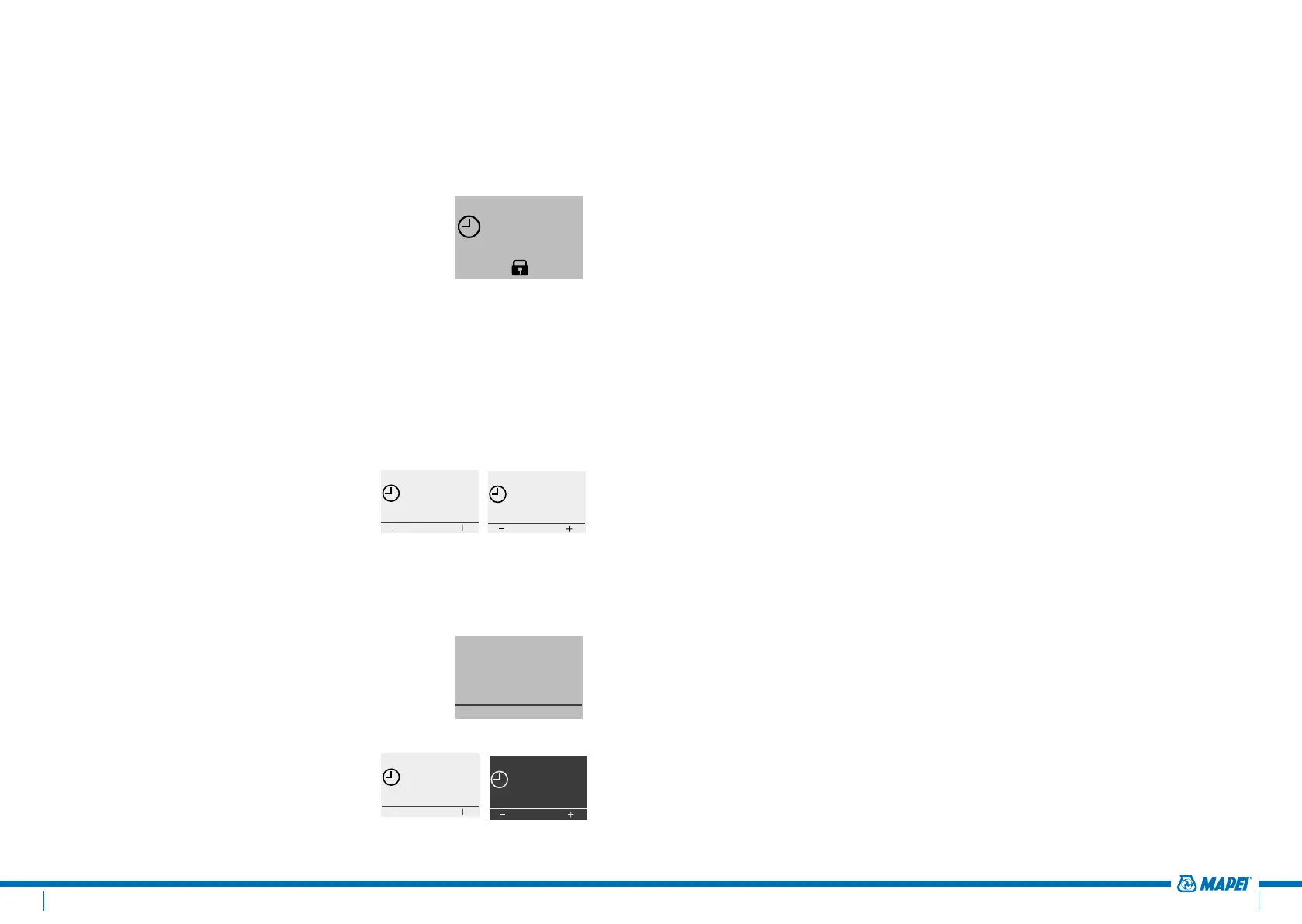
CHILD LOCK
By activating the child lock, the Mapeheat Thermo
Basic will go to the home screen and a lock sign will
appear on the screen.
The child lock will prevent the thermostat settings
to be changed by accident.
To unlock the Mapeheat Thermo Basic, press and
hold the 3 buttons for 5 seconds.
...
Constant Mode
Event Mode
Boost Mode
...
SELECT
...
Engineering Mode
User settings
Event settings
...
SELECT
...
Event Mode
Boost Mode
Exit
...
SELECT
21.0°C
Stop
MONDAY 11:40
23.0°C
Menu
MONDAY 11:42
...
Mon-Fri
Sat-Sun
...
SELECT
SELECT DAY(S)
From To
07:00 09:00
OK
Mon-Fri, Period 2
From To
00:00 07:00
OK
Mon-Fri, Period 1
OK
Mon-Fri, Period 1
16.0°C
OK
Mon-Fri, Period 2
23.0°C
23.0°C
Menu
MONDAY 14:22
23.0°C
MONDAY 14:00
23.0°C
Menu
23.0°C
MONDAY 14:30
23.0°C
Menu
MONDAY 14:22
...
Constant Mode
Event Mode
Boost Mode
...
SELECT
23.0°C
Menu
MONDAY 14:32
DISPLAY SETTINGS
In the display setting you can decide to customize
what appears on the display.
You can make changes to:
• Time and Day:
Show/hide the time and day on the
home screen
• Temperature:
Show the desired temperature (called set
temperature) or the measured temperature
(called actual temperature)
• Screen saver:
You can activate or deactivate the screen saver.
The screen saver shows the temperature, time
and day after 60 seconds of inactivity of the
thermostat
• Screen mode:
The screen can be displayed in standard
mode or in inverted mode.
...
Constant Mode
Event Mode
Boost Mode
...
SELECT
...
Engineering Mode
User settings
Event settings
...
SELECT
...
Event Mode
Boost Mode
Exit
...
SELECT
21.0°C
Stop
MONDAY 11:40
23.0°C
Menu
MONDAY 11:42
...
Mon-Fri
Sat-Sun
...
SELECT
SELECT DAY(S)
From To
07:00 09:00
OK
Mon-Fri, Period 2
From To
00:00 07:00
OK
Mon-Fri, Period 1
OK
Mon-Fri, Period 1
16.0°C
OK
Mon-Fri, Period 2
23.0°C
23.0°C
Menu
MONDAY 14:22
23.0°C
MONDAY 14:00
23.0°C
Menu
23.0°C
MONDAY 14:30
23.0°C
Menu
MONDAY 14:22
...
Constant Mode
Event Mode
Boost Mode
...
SELECT
23.0°C
Menu
MONDAY 14:32
...
Constant Mode
Event Mode
Boost Mode
...
SELECT
...
Engineering Mode
User settings
Event settings
...
SELECT
...
Event Mode
Boost Mode
Exit
...
SELECT
21.0°C
Stop
MONDAY 11:40
23.0°C
Menu
MONDAY 11:42
...
Mon-Fri
Sat-Sun
...
SELECT
SELECT DAY(S)
From To
07:00 09:00
OK
Mon-Fri, Period 2
From To
00:00 07:00
OK
Mon-Fri, Period 1
OK
Mon-Fri, Period 1
16.0°C
OK
Mon-Fri, Period 2
23.0°C
23.0°C
Menu
MONDAY 14:22
23.0°C
MONDAY 14:00
23.0°C
Menu
23.0°C
MONDAY 14:30
23.0°C
Menu
MONDAY 14:22
...
Constant Mode
Event Mode
Boost Mode
...
SELECT
23.0°C
Menu
MONDAY 14:32
ON OFF
...
Constant Mode
Event Mode
Boost Mode
...
SELECT
...
Engineering Mode
User settings
Event settings
...
SELECT
...
Event Mode
Boost Mode
Exit
...
SELECT
21.0°C
Stop
MONDAY 11:40
23.0°C
Menu
MONDAY 11:42
...
Mon-Fri
Sat-Sun
...
SELECT
SELECT DAY(S)
From To
07:00 09:00
OK
Mon-Fri, Period 2
From To
00:00 07:00
OK
Mon-Fri, Period 1
OK
Mon-Fri, Period 1
16.0°C
OK
Mon-Fri, Period 2
23.0°C
23.0°C
Menu
MONDAY 14:22
23.0°C
MONDAY 14:00
23.0°C
Menu
23.0°C
MONDAY 14:30
23.0°C
Menu
MONDAY 14:22
...
Constant Mode
Event Mode
Boost Mode
...
SELECT
23.0°C
Menu
MONDAY 14:32
...
Constant Mode
Event Mode
Boost Mode
...
SELECT
...
Engineering Mode
User settings
Event settings
...
SELECT
...
Event Mode
Boost Mode
Exit
...
SELECT
21.0°C
Stop
MONDAY 11:40
23.0°C
Menu
MONDAY 11:42
...
Mon-Fri
Sat-Sun
...
SELECT
SELECT DAY(S)
From To
07:00 09:00
OK
Mon-Fri, Period 2
From To
00:00 07:00
OK
Mon-Fri, Period 1
OK
Mon-Fri, Period 1
16.0°C
OK
Mon-Fri, Period 2
23.0°C
23.0°C
Menu
MONDAY 14:22
23.0°C
MONDAY 14:00
23.0°C
Menu
23.0°C
MONDAY 14:30
23.0°C
Menu
MONDAY 14:22
...
Constant Mode
Event Mode
Boost Mode
...
SELECT
23.0°C
Menu
MONDAY 14:32
...
Constant Mode
Event Mode
Boost Mode
...
SELECT
...
Engineering Mode
User settings
Event settings
...
SELECT
...
Event Mode
Boost Mode
Exit
...
SELECT
21.0°C
Stop
MONDAY 11:40
23.0°C
Menu
MONDAY 11:42
...
Mon-Fri
Sat-Sun
...
SELECT
SELECT DAY(S)
From To
07:00 09:00
OK
Mon-Fri, Period 2
From To
00:00 07:00
OK
Mon-Fri, Period 1
OK
Mon-Fri, Period 1
16.0°C
OK
Mon-Fri, Period 2
23.0°C
23.0°C
Menu
MONDAY 14:22
23.0°C
MONDAY 14:00
23.0°C
Menu
23.0°C
MONDAY 14:30
23.0°C
Menu
MONDAY 14:22
...
Constant Mode
Event Mode
Boost Mode
...
SELECT
23.0°C
Menu
MONDAY 14:32
Standard Inverted



 To Next Page
 Loading...