HMI5000L Installation Guide 17
1010-1018 Rev 12 www.maplesystems.com
Wi-Fi Connectivity and Network Configuration (HMI5103L)
The HMI5103L features Wi-Fi connectivity in addition to the standard
RJ45 Ethernet port. Supported Wi-Fi modes are IEEE 802.11 b/g/n, with
WPA-PSK/WPA2-PSK encryption. Wi-Fi is off by default.
To enable and configure Wi-Fi:
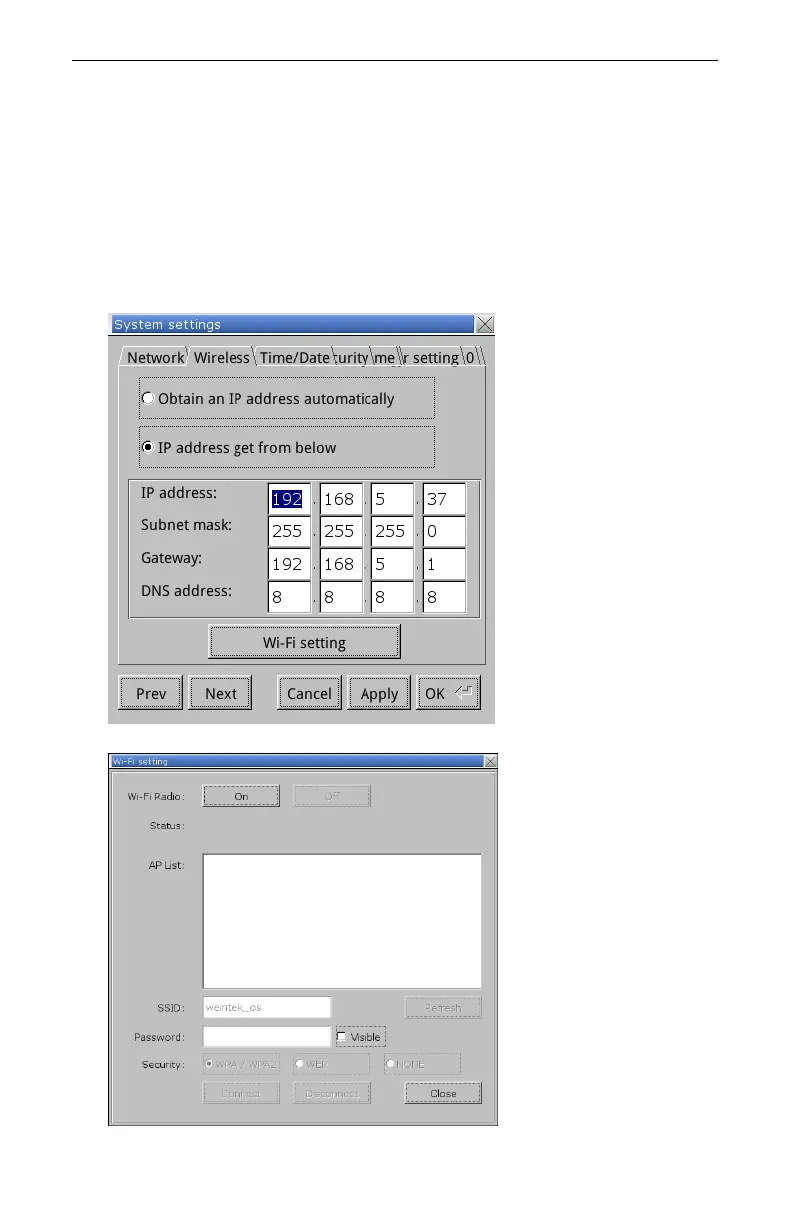
1. Enter the System Settings menu.
2. Navigate to the Wireless tab.
3. Enter the desired IP address, or select Obtain an IP Address
Automatically to enable DHCP.
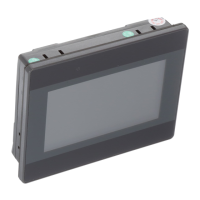
4. Select the Wi-Fi Setting button.



 To Next Page