25
Maptek Scanner Operator Manual - XR3
Scanner Operation
Scanner controls & ports
Scanner controls
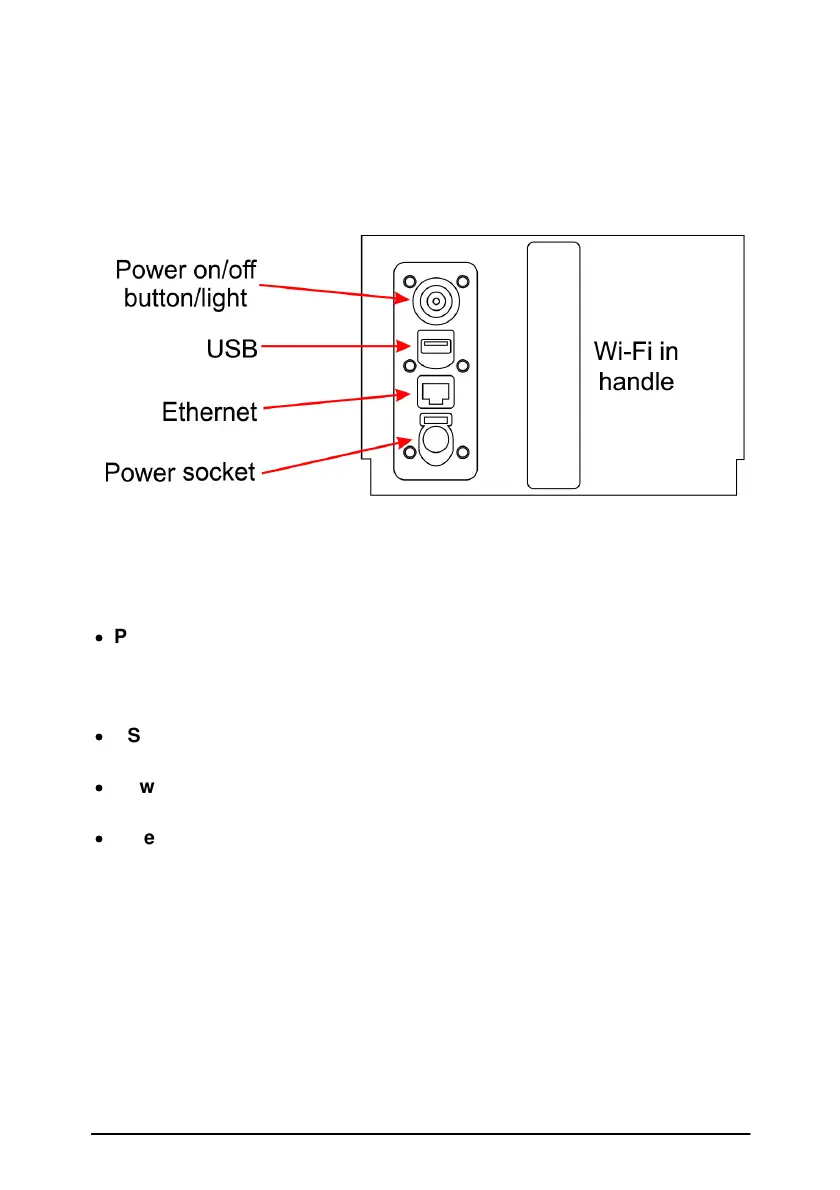
The scanner body houses a push button, USB and Ethernet port and a
power socket. The Wi-Fi antenna is in the handle adjacent the ports and
socket.
·
Power button - Switches the power for the scanner on and off. Also has
a light that will change colour and flash at different rates depending on
what activity it is reporting to the user. This button also functions for
other purposes like stand-alone scanning.
·
USB port – For plugging in a USB memory stick/drive. Data will be
saved onto the memory stick if using ‘Stand-alone’ mode.
·
Power socket – Plug for external power such as vehicle power supply
option.
·
Ethernet port – For fast communication with the controller.



 To Next Page