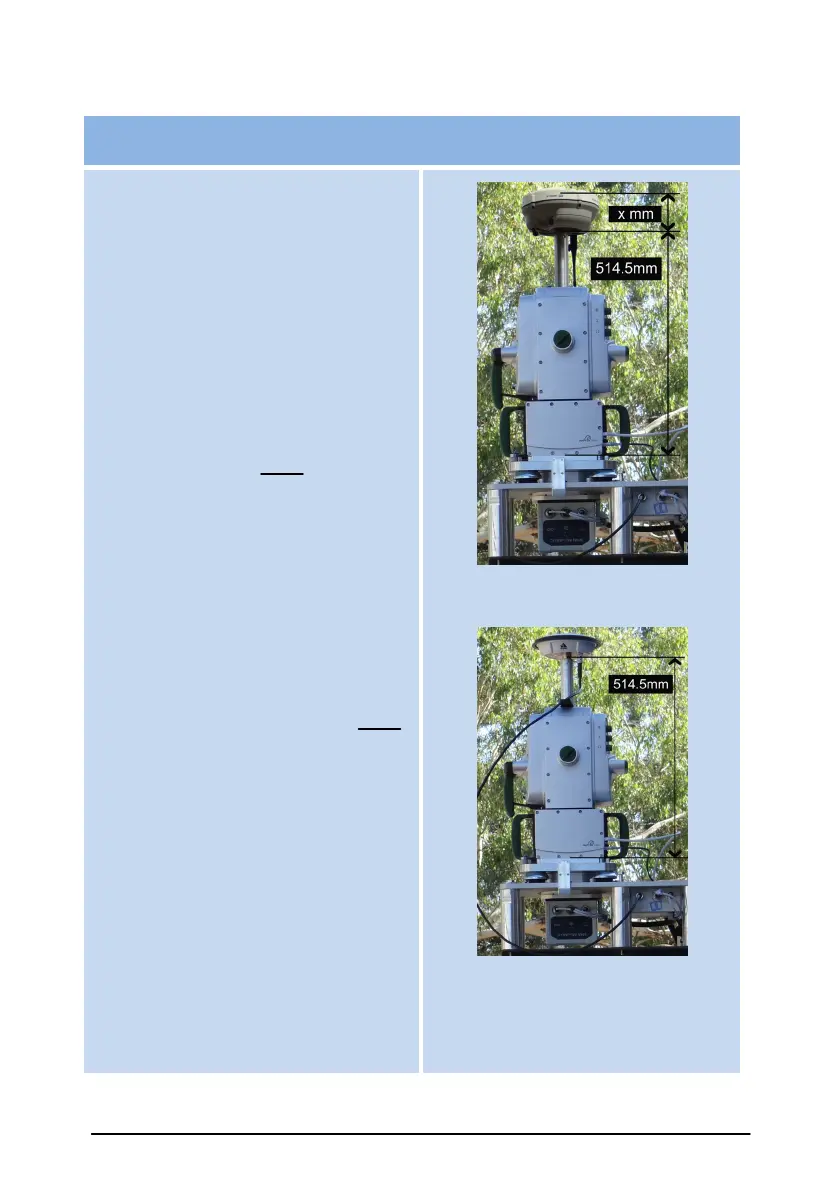
Enter scanner height relative to an
attached bluetooth GPS receiver.
Measuring from the base of the
scanner to the base of the GPS
receiver is a negative value height.
For the XR3 it is
-(514.5mm + x mm).
The recommended workflow is to
enter the height offset -(514.5mm + x
mm) into the Scanner controller
and use a height of zero in the
“Antenna Phase Centre” setting for
the GPS controller. The scanner will
compensate for any difference in
position, including tilt factors. This is
a more accurate method rather than
entering the height into the GPS
controller.
Another way is to enter the height
offset of -514.5mm into the Scanner
controller and use a height of zero
in the “Bottom of Antenna mount”
setting for the GPS controller, as
most GPS receivers will compensate
for the phase centre offset .



 To Next Page