7
Marantz MODEL40n
Bluetooth
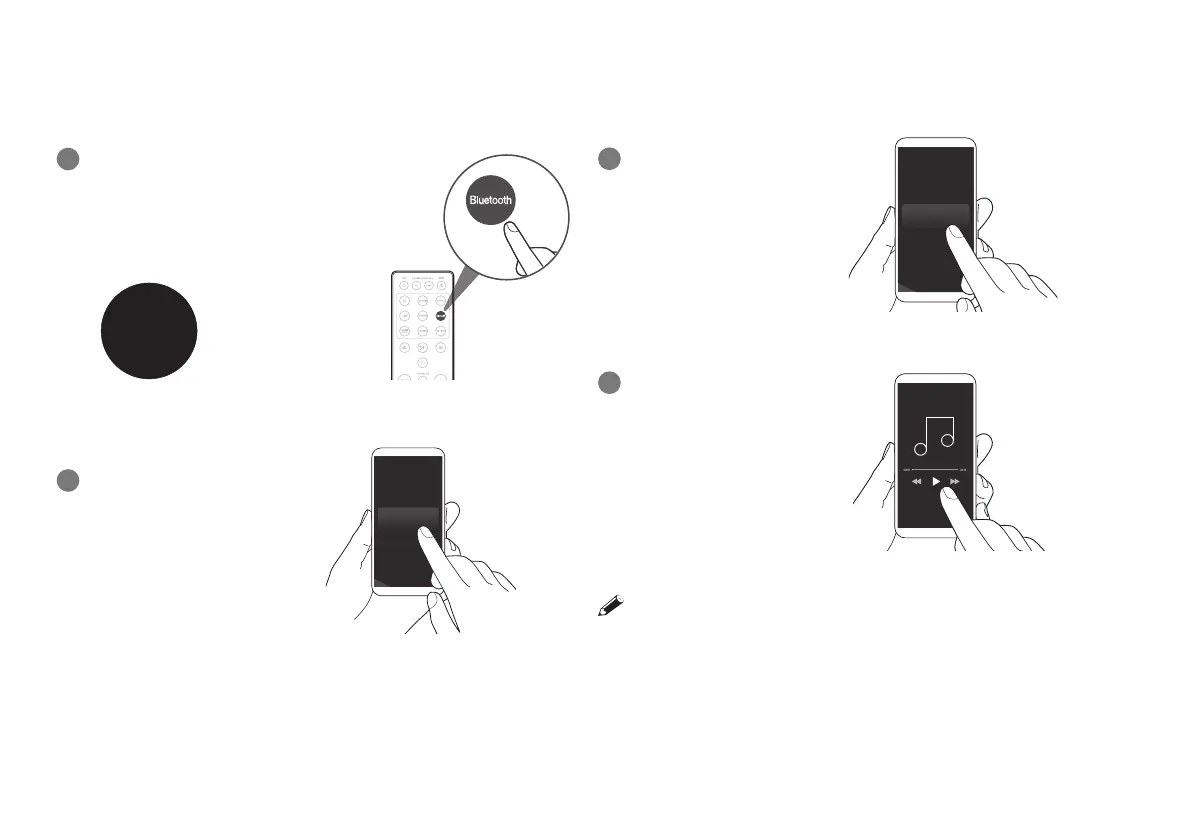
Press Bluetooth to select Bluetooth.
When you use it for the rst time, the
ampli er automatically enters pairing
mode and “Bluetooth Pairing...” appears
on the display.
Activate Bluetooth on your
mobile device.
Bluetooth ON
Select “Marantz MODEL40n”
from the Bluetooth device list.
Play music using any app on
your device.
To pair with other Bluetooth devices, press and hold Bluetooth on the
remote control until “Bluetooth Pairing...” is displayed on the unit.
1
2
3
4
Bluetooth
Pairing...
Playing music - Bluetooth


 To Next Page