Front panel Display Rear panel IndexRemote
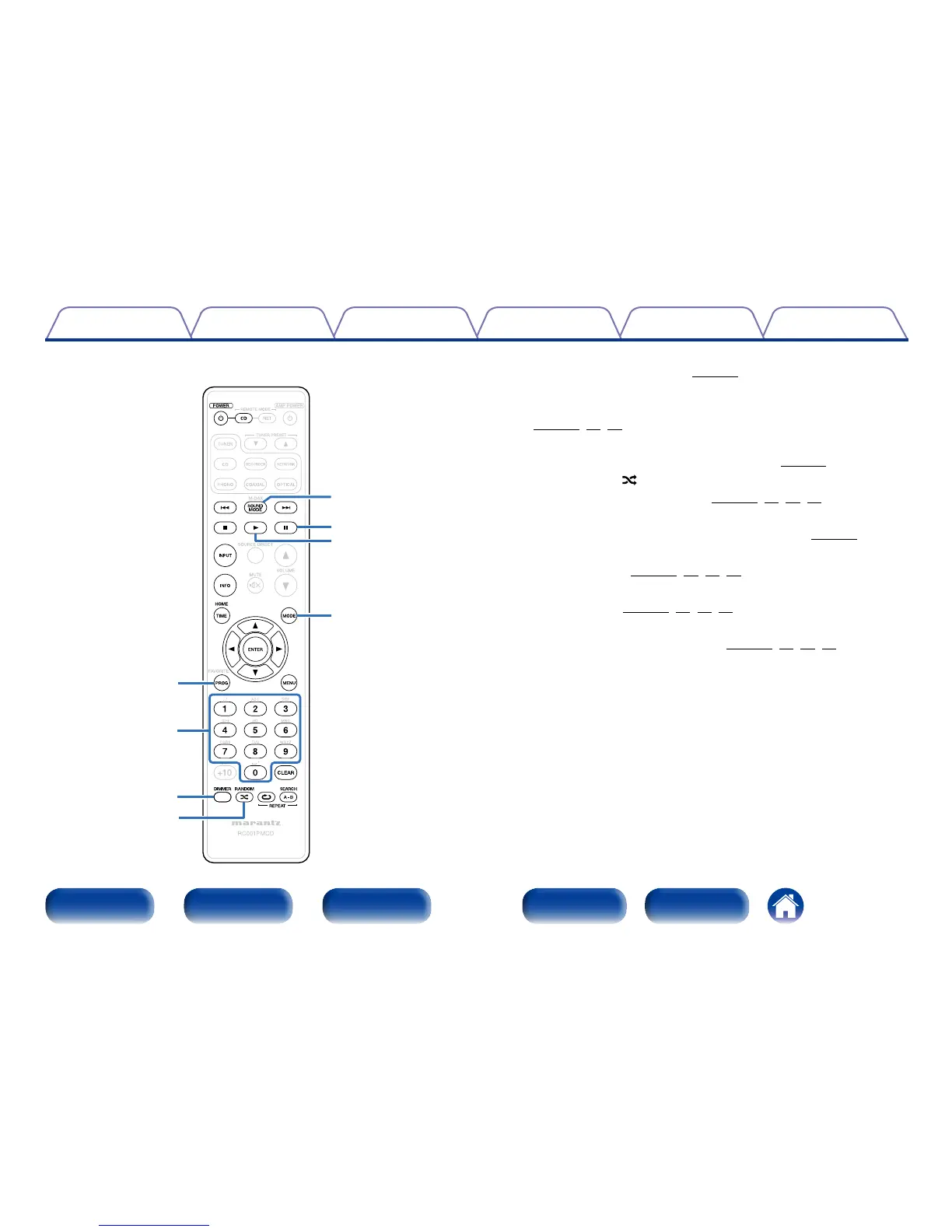
o Program button (PROG)
This sets program playback (vpage29).
Q0 Number buttons (0 – 9)
These enter letters or numbers into the unit
(vpage28,29,33).
Q1 DIMMER button
This switches the brightness of the display (vpage26).
Q2 RANDOM button ( )
Switches the random playback (vpage28,33,37,39).
Q3 SOUND MODE button
This switches the sound mode (Audio EX mode) (vpage26).
Q4 Pause button (3)
Pauses playback (vpage28,33,37,39).
Q5 Play button (1)
Starts playback (vpage28,33,37,39).
Q6 MODE button
This switches the playback mode (vpage32,36,39,43).
Q5
Q6
Q3
o
Q0
Q1
Q2
Q4





 To Next Page