Part names and functions
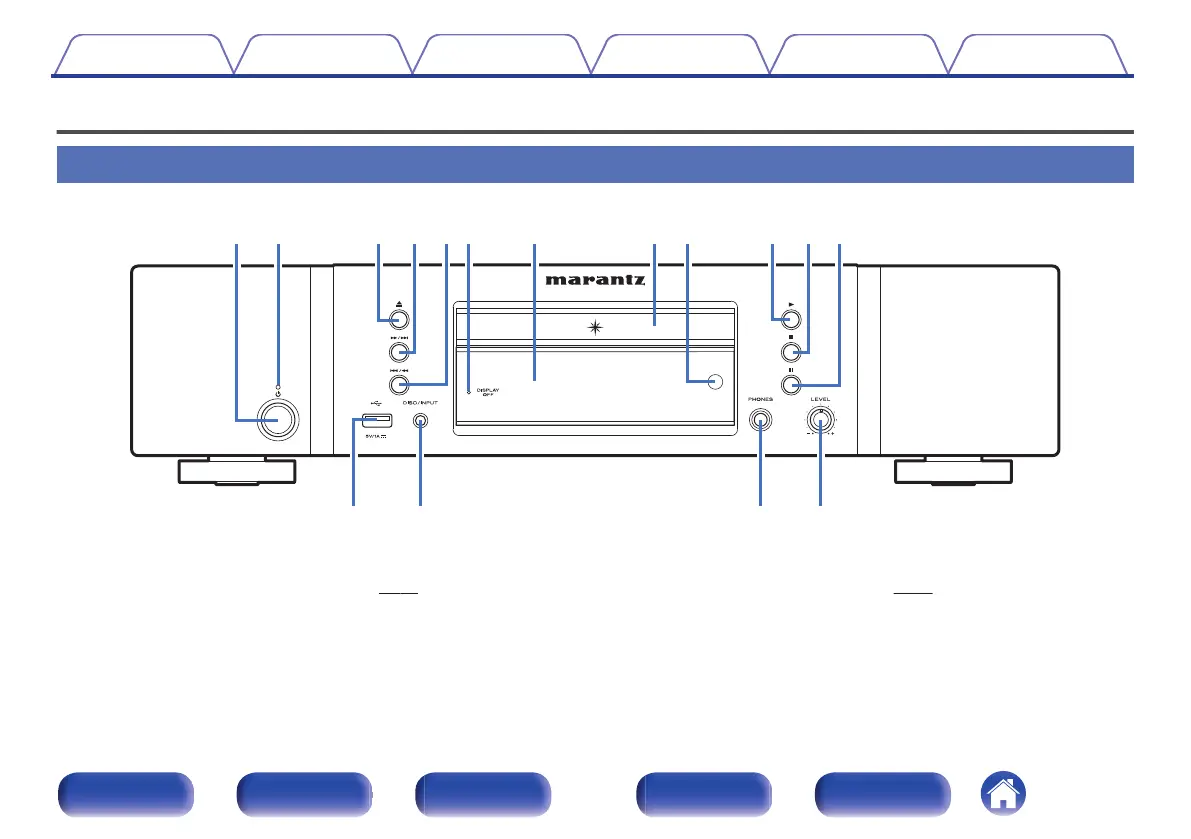
Front panel
.
A
Power operation button (X)
This turns the power on/off (standby). (v p. 26)
B
Power indicator
This is lit as follows according to the power status:
0
Power on : Off
0
Standby : Red
0
iPod charge standby : Orange
C
Disc tray open/close button (5)
Opens and closes the disc tray. (v
p. 28)
D
Fast-forward/Forward-skip button (7/9)
Plays the next track. Press and hold to fast-forward the track.
Contents Connections Playback Settings Tips Appendix
7
Front panel Display Rear panel Remote Index



 To Next Page