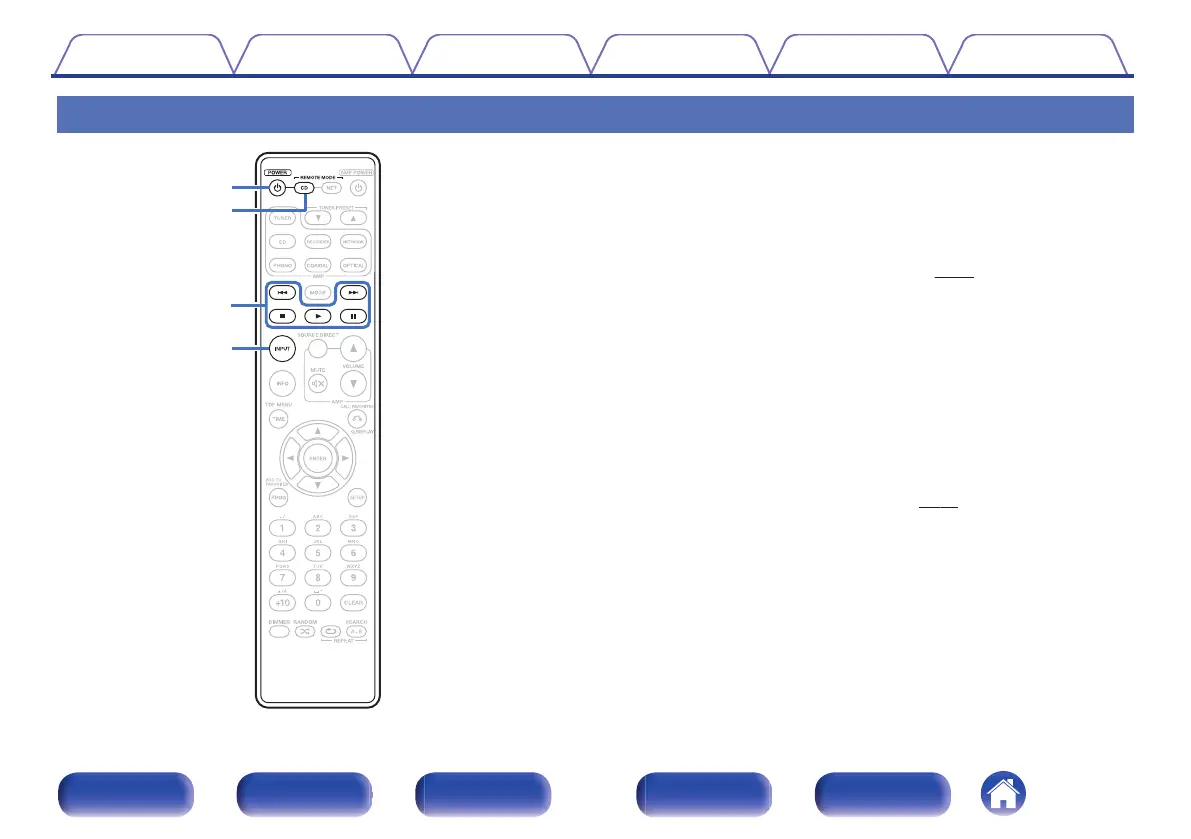
Remote control unit
.
o
Operating this unit
To operate CD player, press REMOTE MODE CD button to switch the
remote control to the CD operation mode.
0
REMOTE MODE CD button lights for approximately two seconds.
A
Power operation button (POWER X)
This turns the power on/off (standby).
(v
p. 26)
B
Remote mode select button (REMOTE MODE CD)
This switches the remote control operating mode to CD.
C
System buttons
These perform playback related operations.
0
Skip buttons (8 / 9)
0
Stop button (2)
0
Play button (1)
0
Pause button (3)
D
Media mode select button (INPUT)
Used to select the playback source. (v
p. 27)
Contents Connections Playback Settings Tips Appendix
11
Front panel Display Rear panel Remote Index



 To Next Page